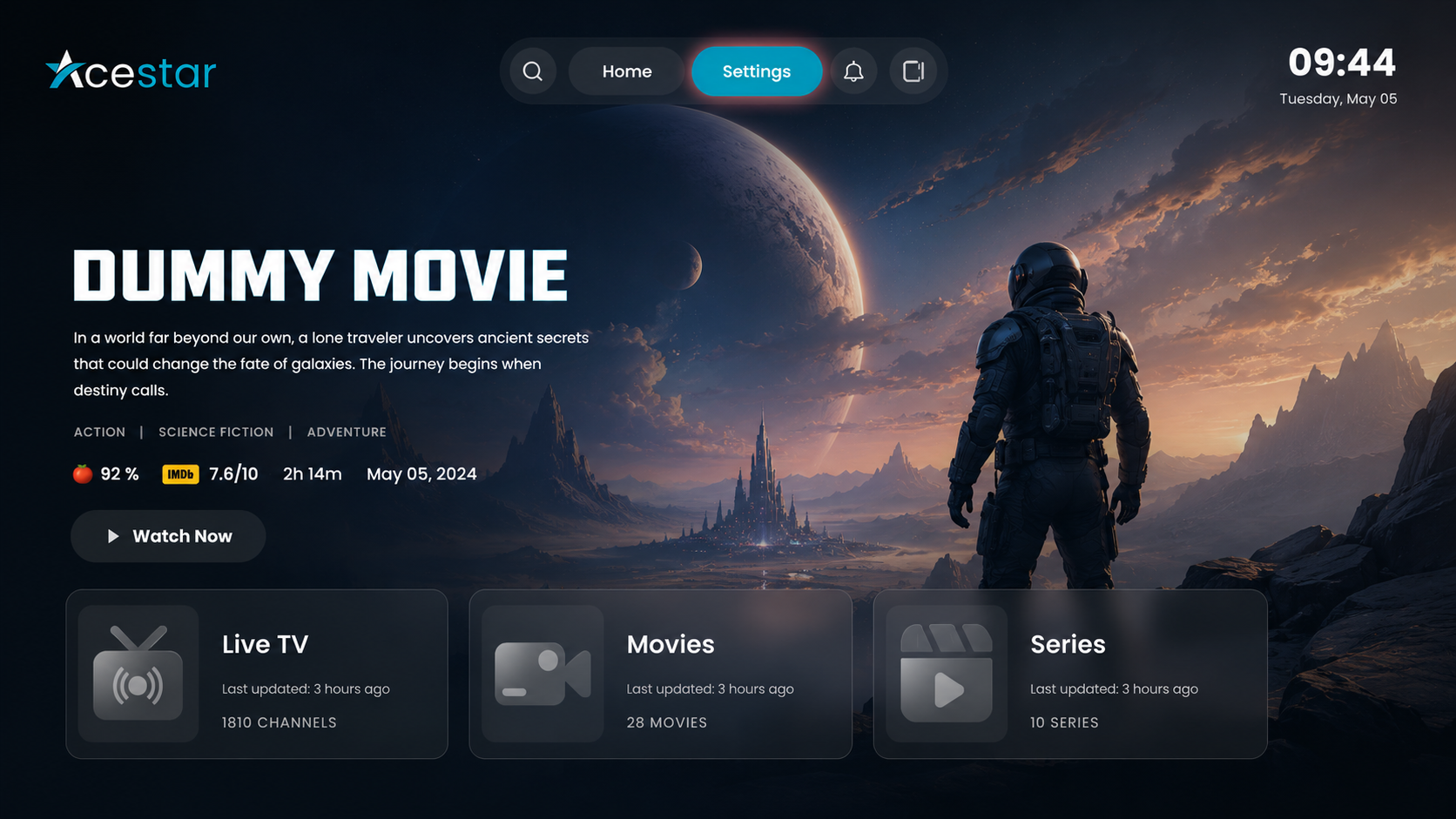
Step 1: Open Settings
Click on the Settings option from the top menu on the home screen to access app preferences.
Step 2: Open Layout Settings
Click on the Layout Settings option from the left-side menu.
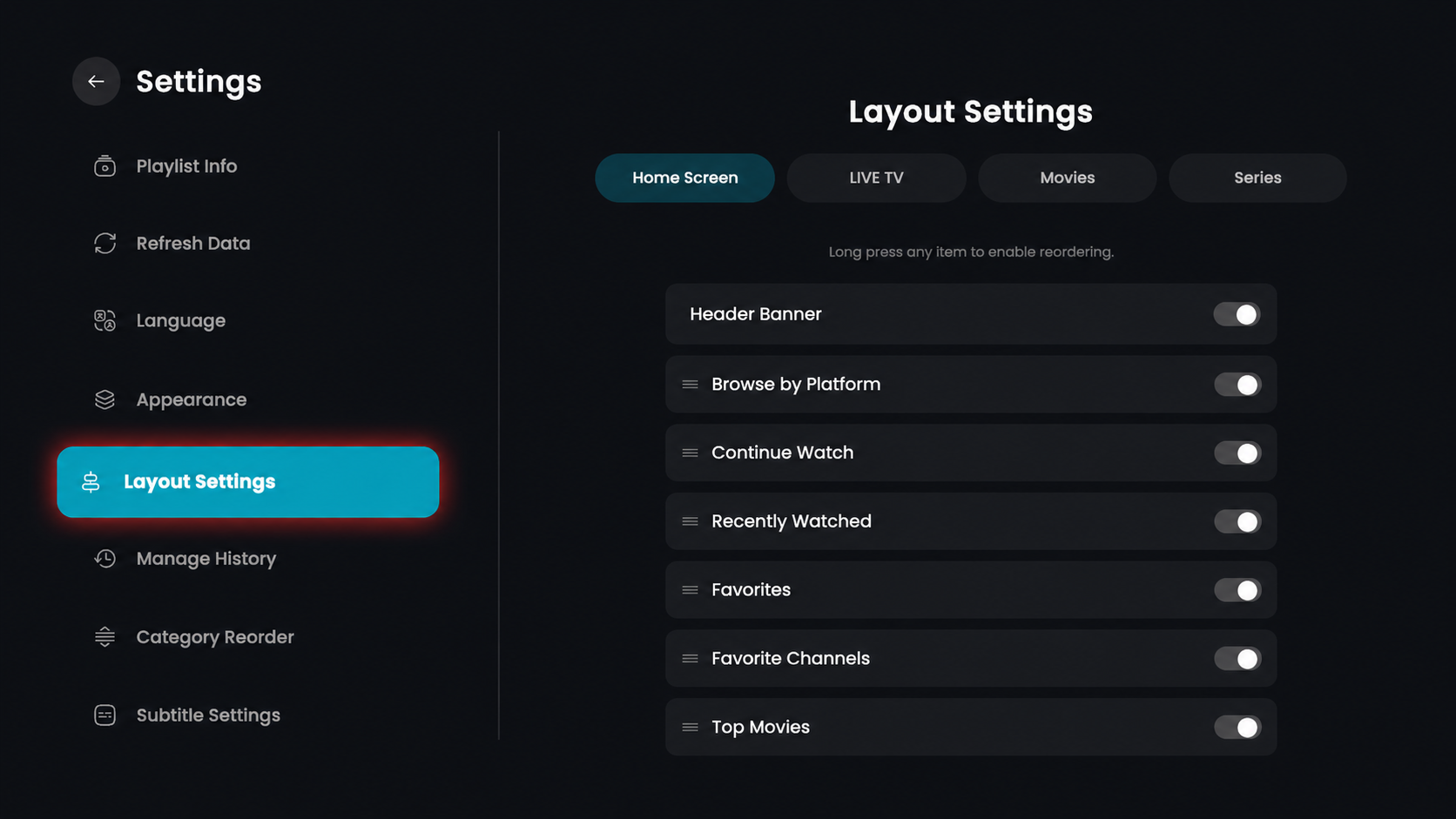
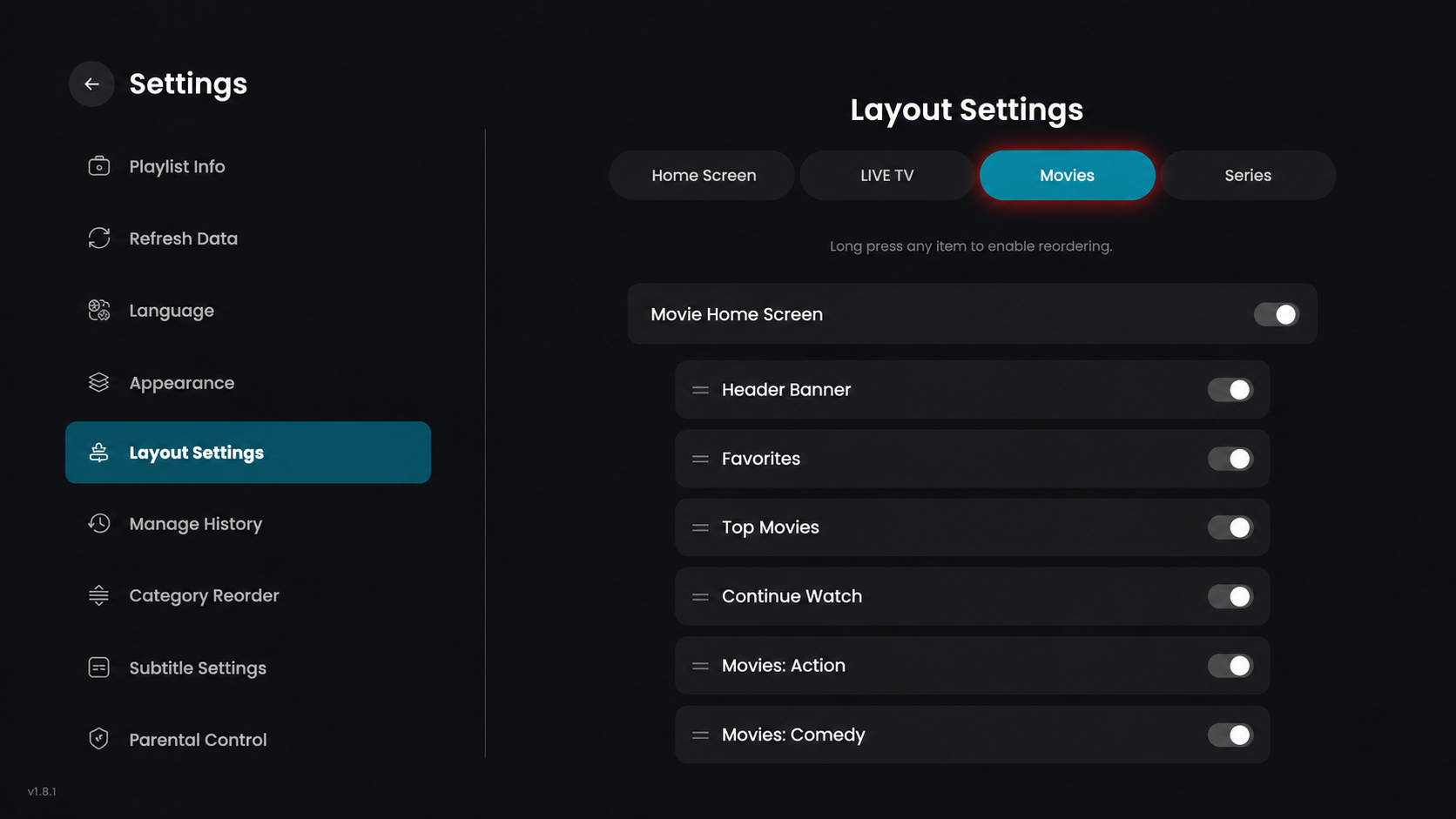
Step 3: Click on Movies
In the top section, click on Movies to open the Movies layout settings.
Layout Options (Toggle Settings)
Movie Home Screen – Enable or disable the main movie home screen section.
Header Banner – Show or hide the top promotional banner on the screen.
Favorites – Enable or disable the favorites section for your movies.
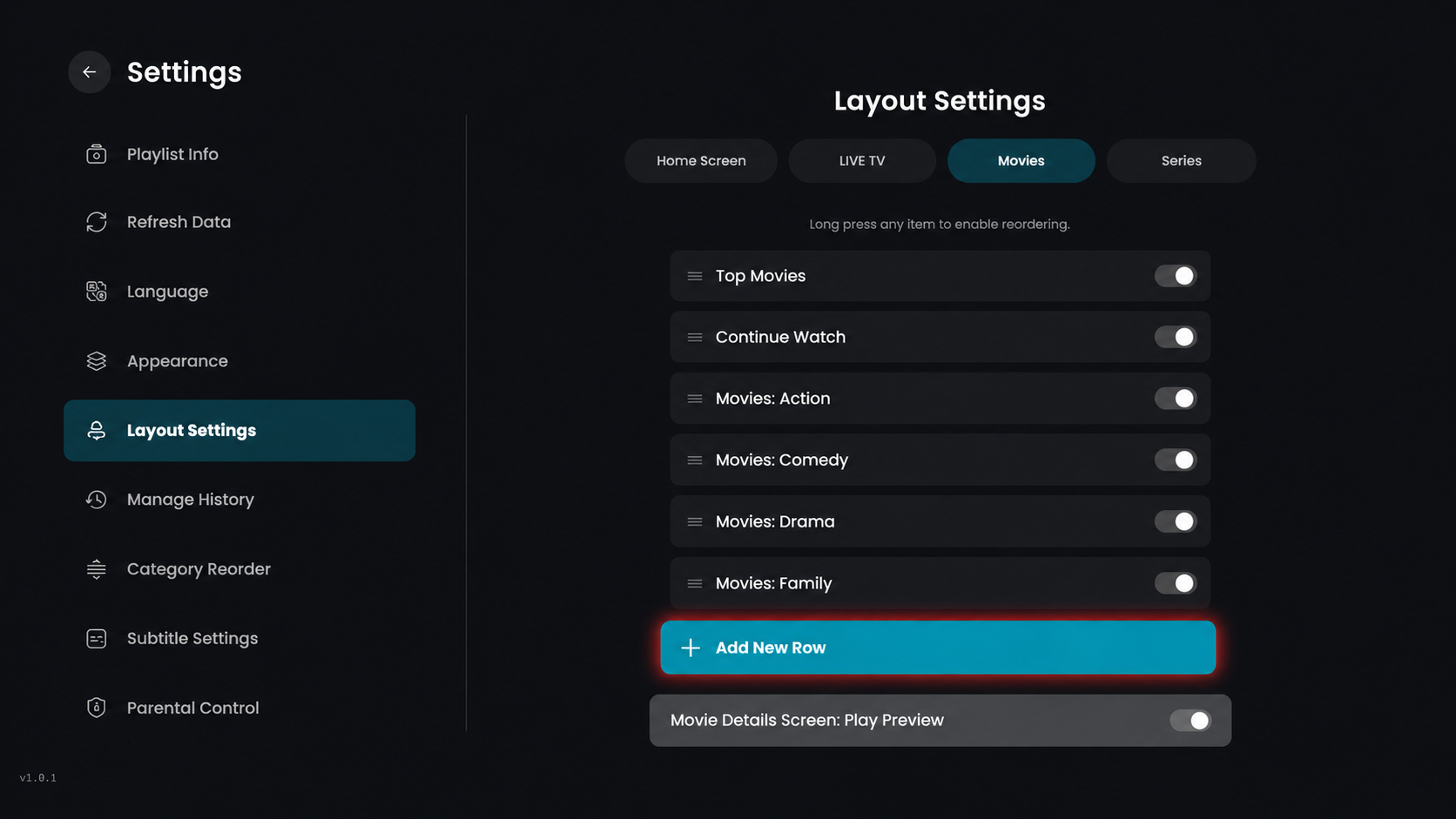
Top Movies – Display or hide the top-rated movie collection.
Continue Watch – Show or hide the content you have recently started watching.
Movies: Action – Enable or disable the specific row for Action movies.
Movies: Comedy – Show or hide the specific row for Comedy movies.
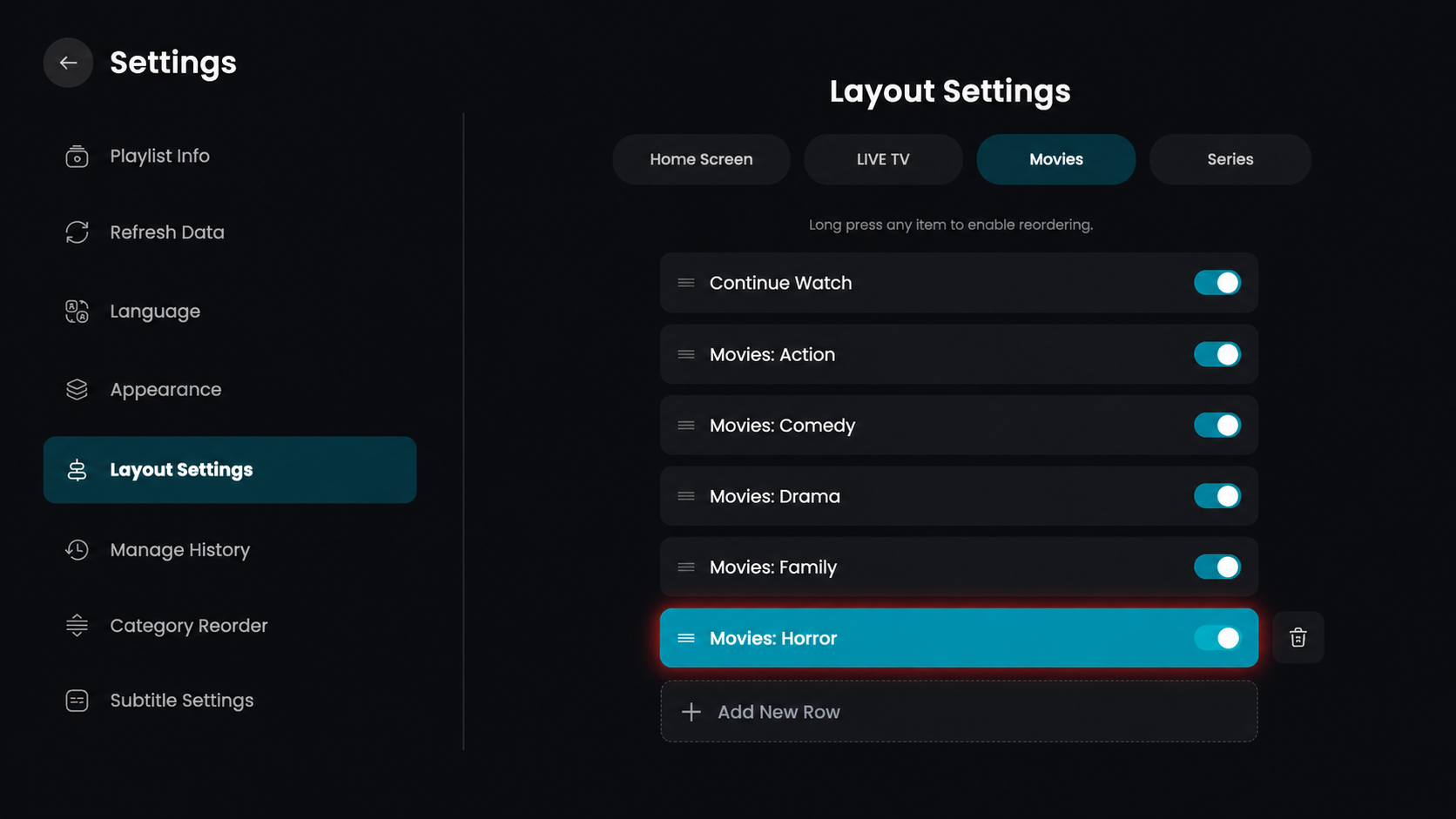
Step 4: Click Add New Row
From the Movies Layout screen, click on the Add New Row button.
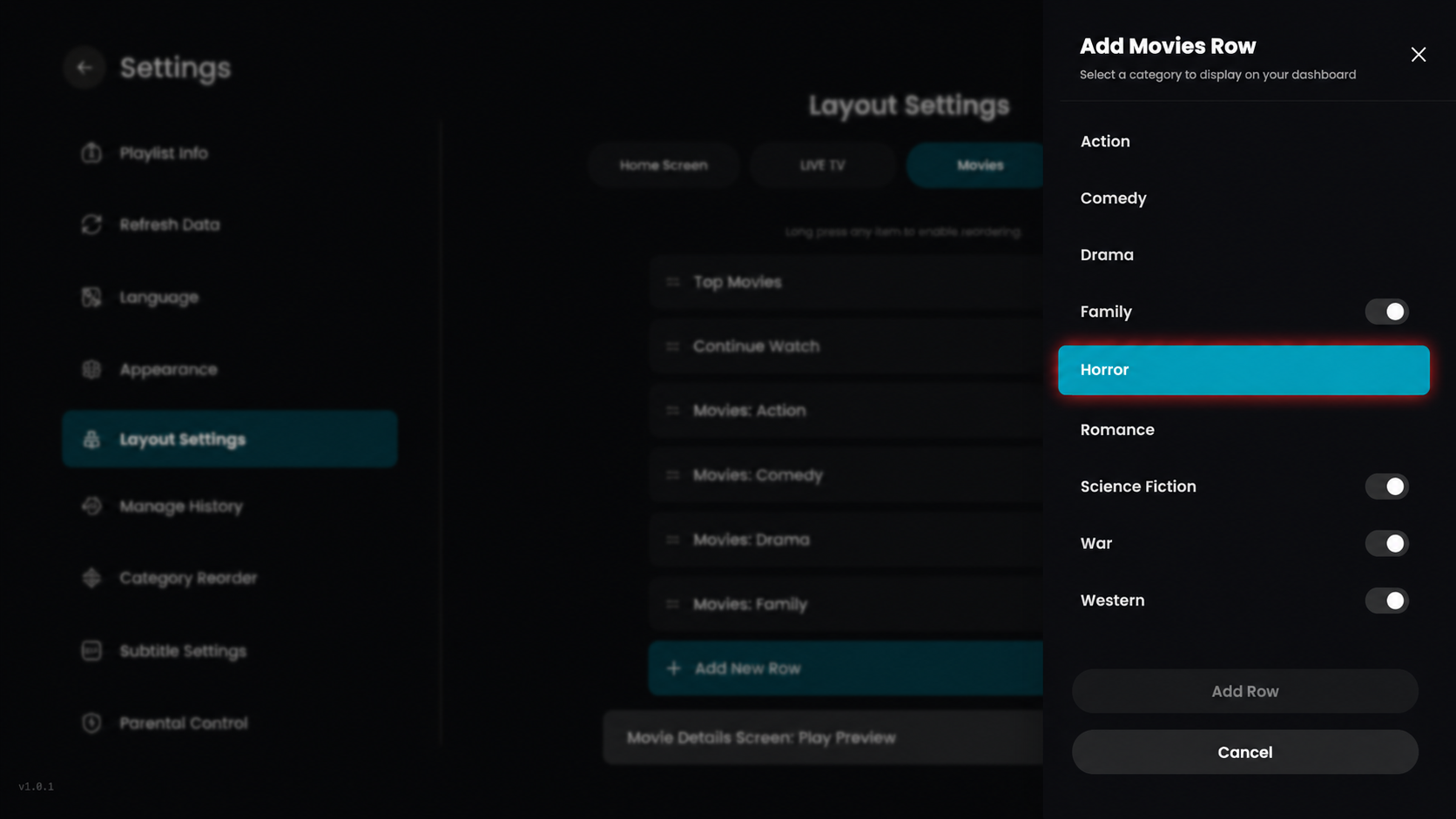
Step 5: Select Movie Category
From the Add Movies Row sidebar, browse the list and click on the specific genre you want to add, such as Horror.
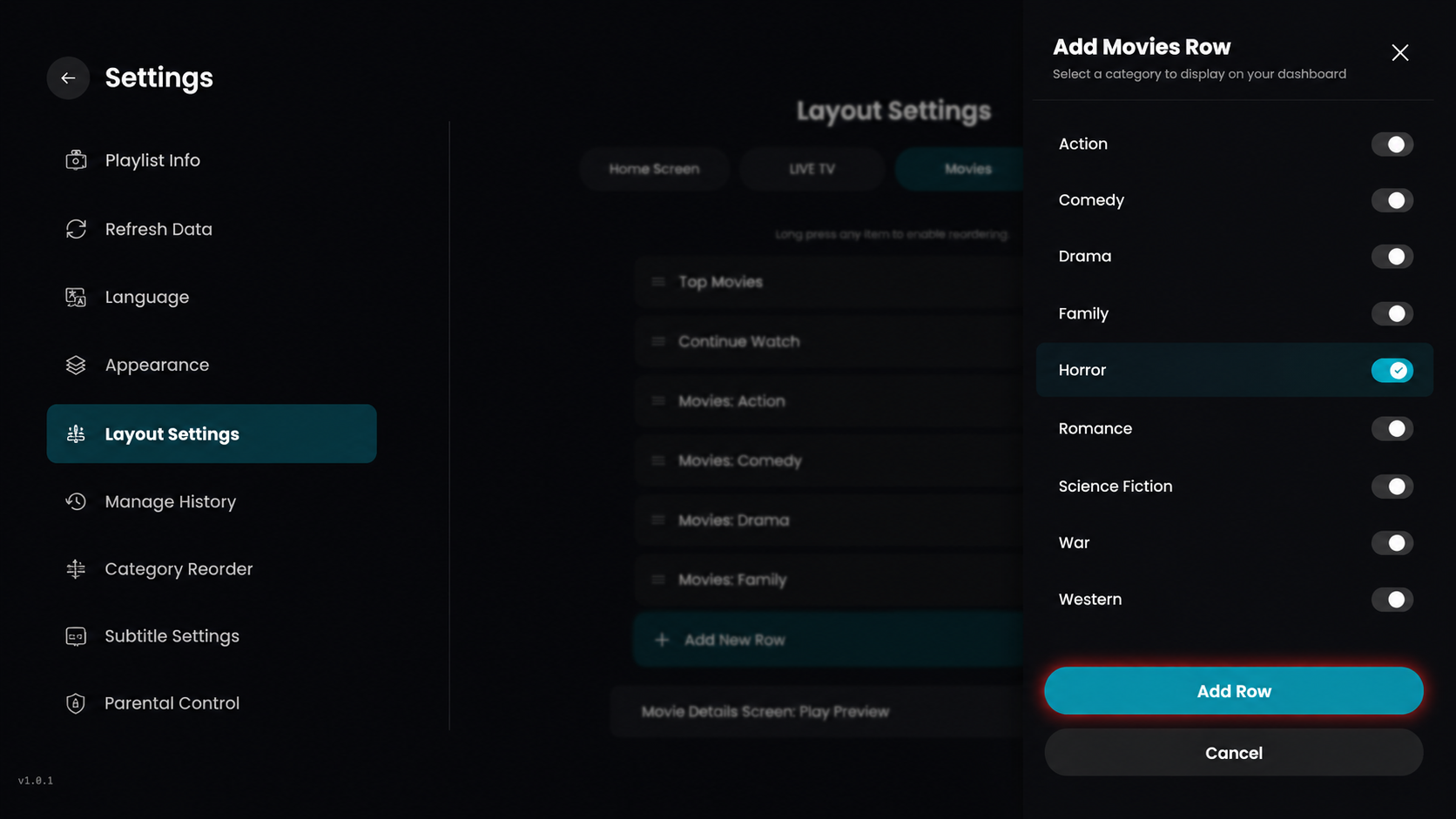
Step 6: Click on Add Row
Once you have selected the category, click on the Add Row button at the bottom of the sidebar to include it in your movie layout.
Step 7: Row Added Successfully
The selected category, Movies: Horror, is now successfully added to your movie layout list.