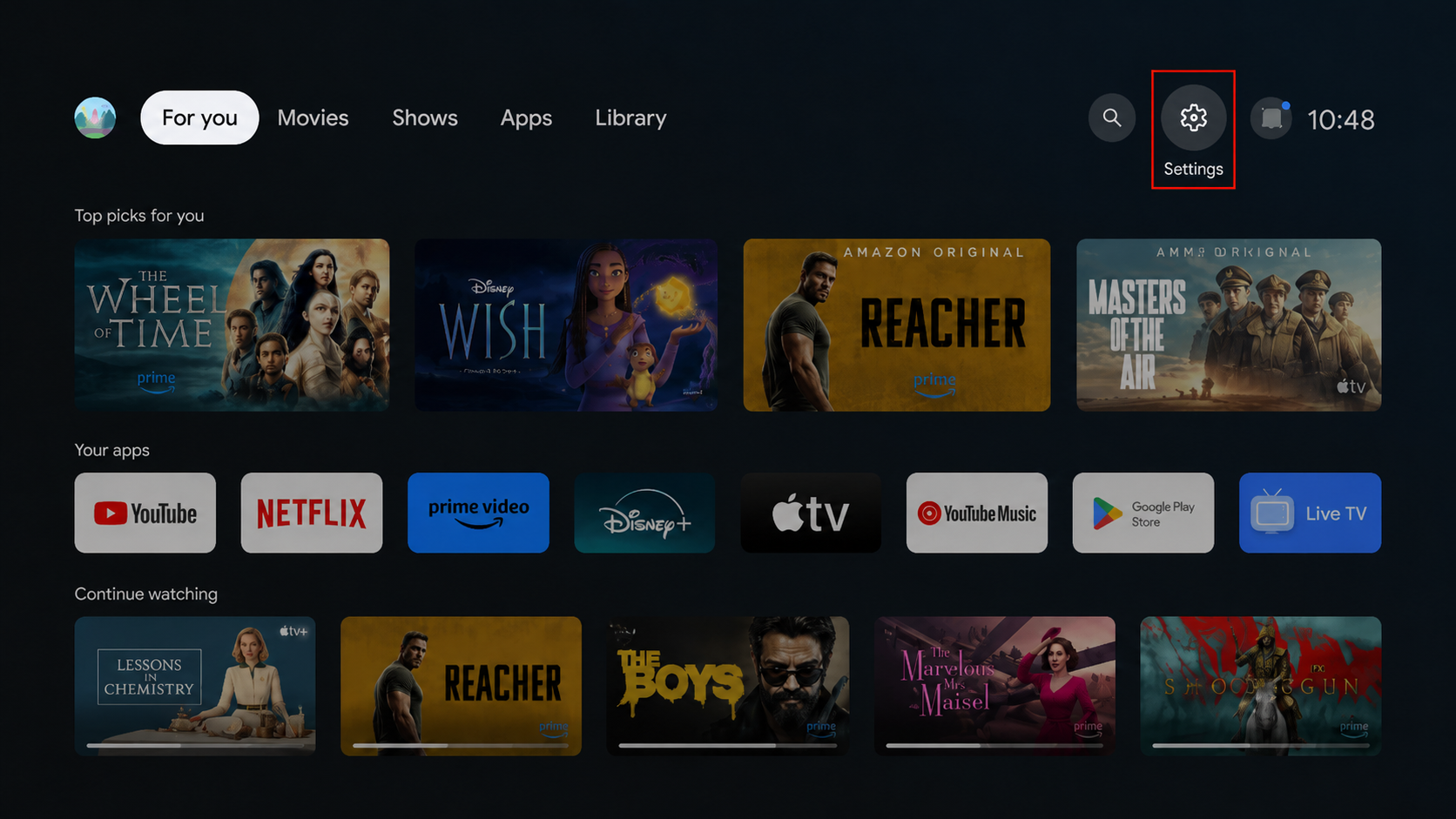
Open Settings on your Android TV.
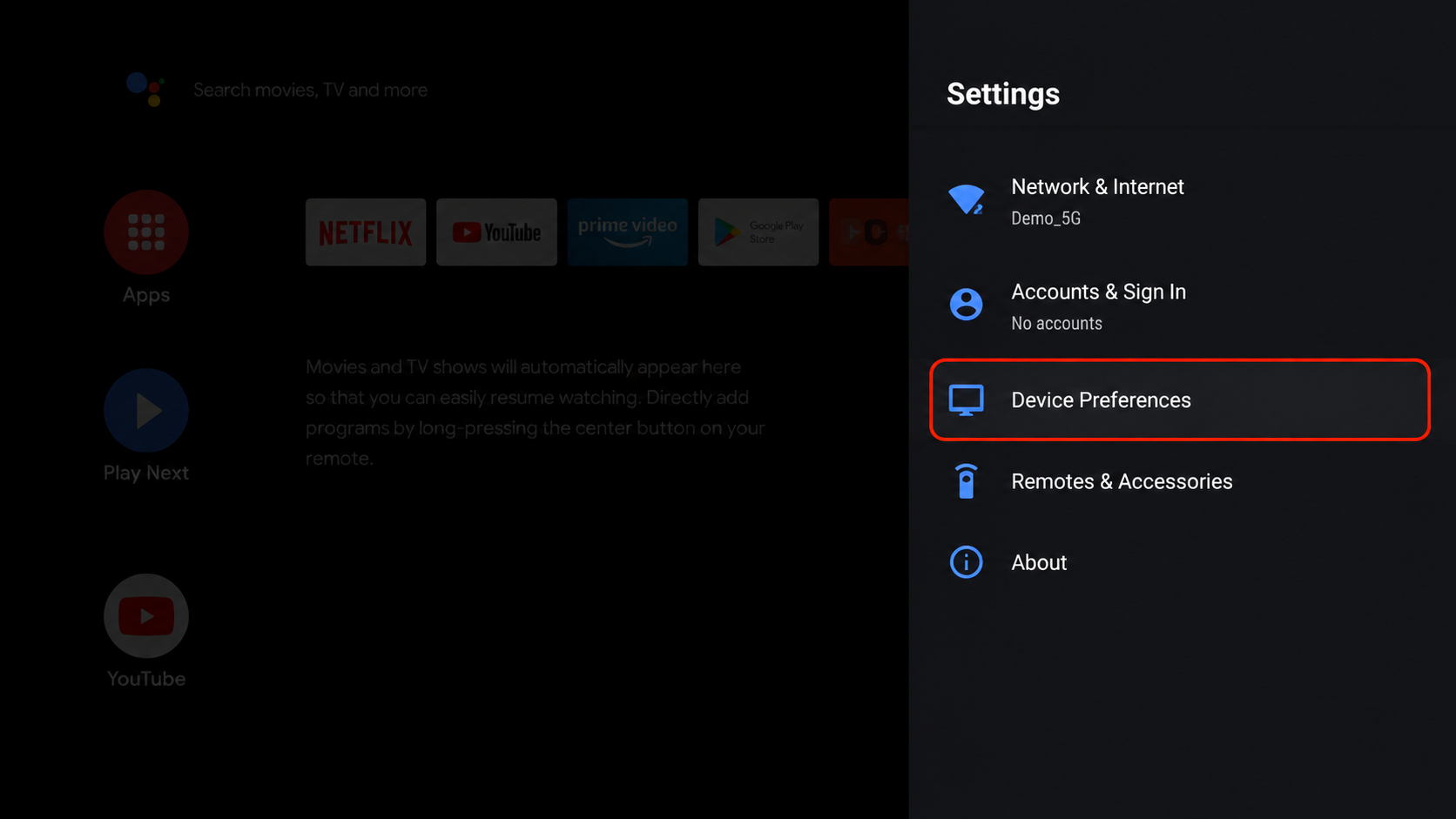
Go to Device Preferences > About.
Find and select the build number.
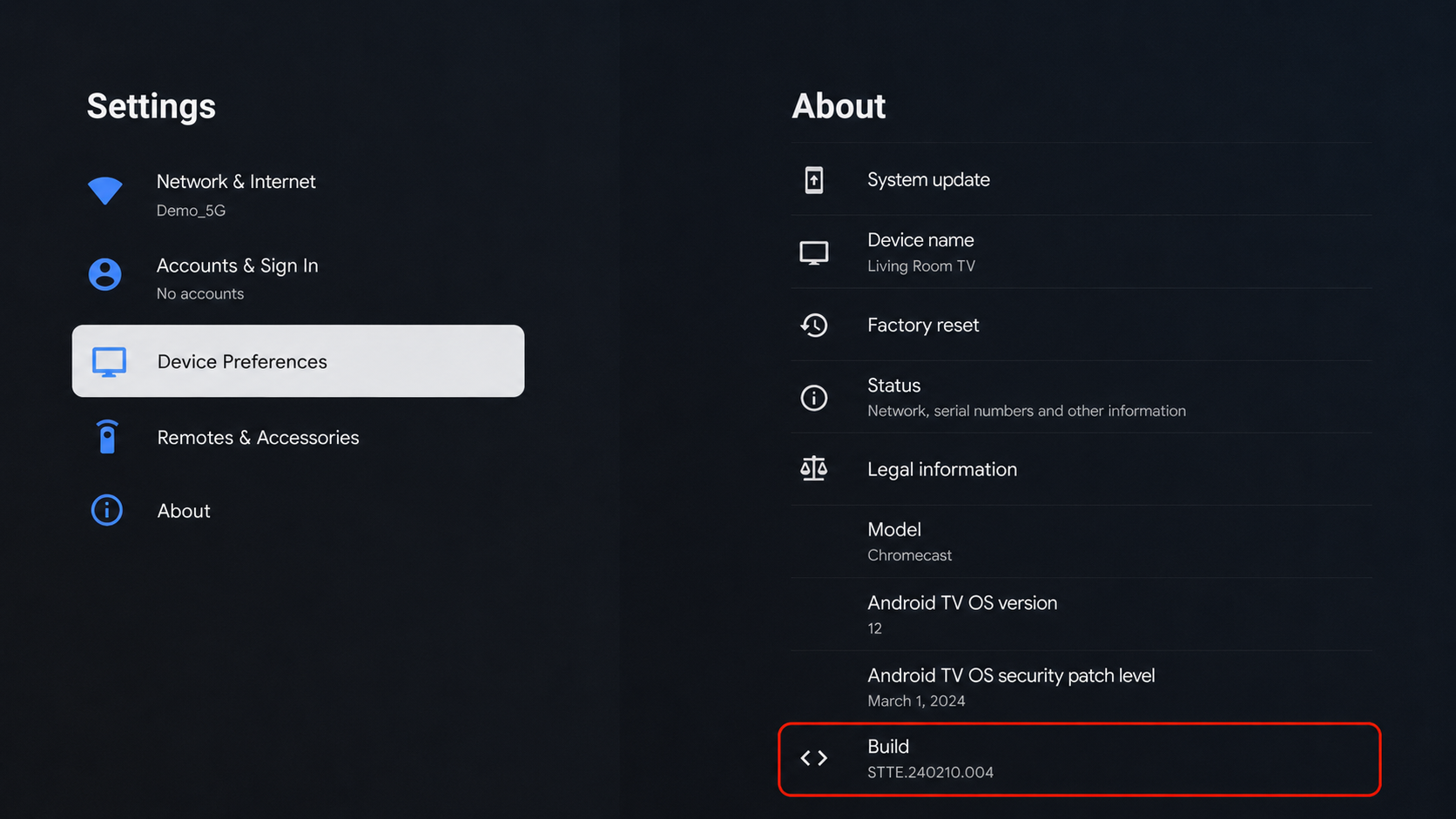
Press Build Number multiple times using your remote.
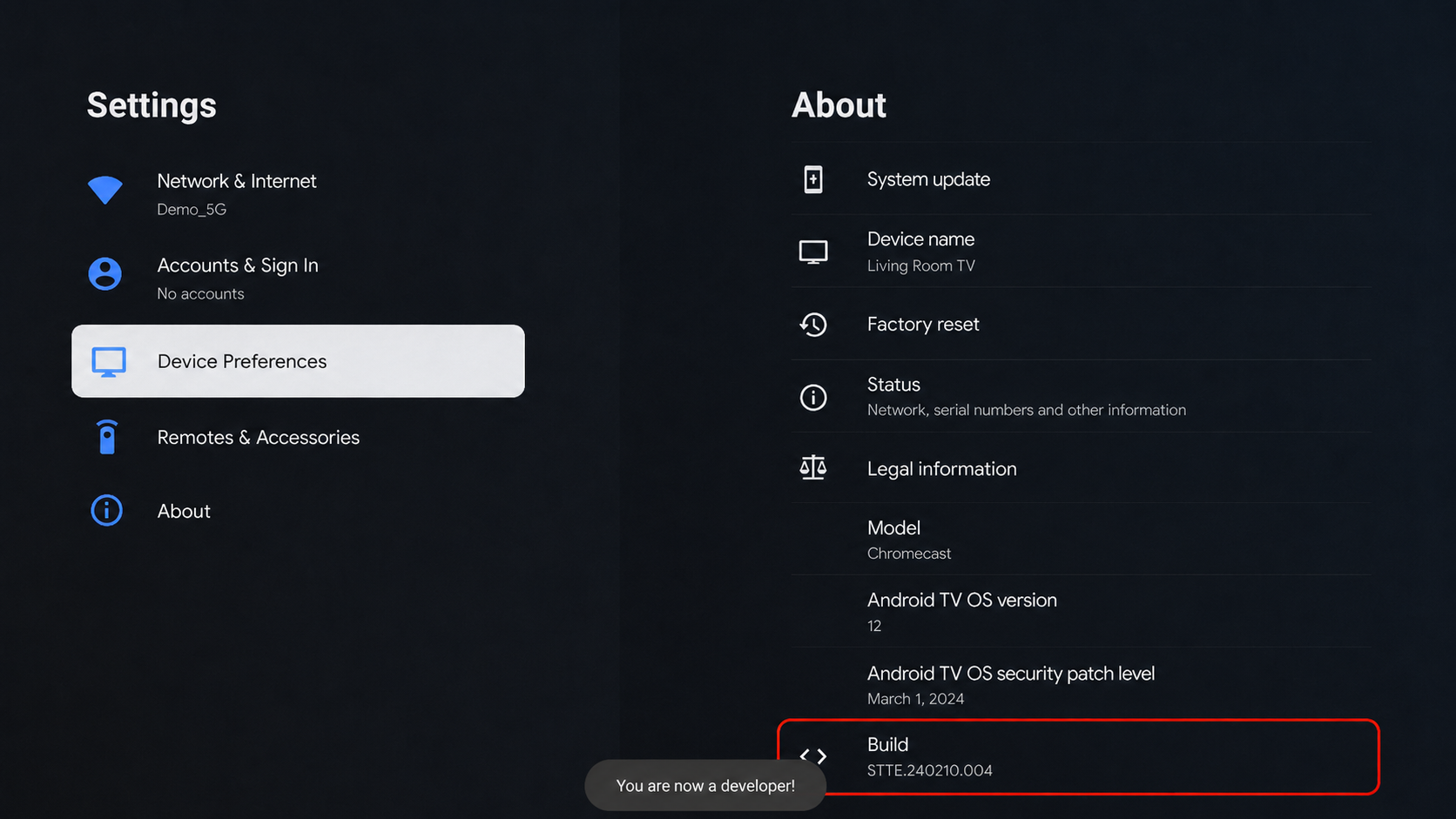
Developer Mode is now enabled on your Android TV.
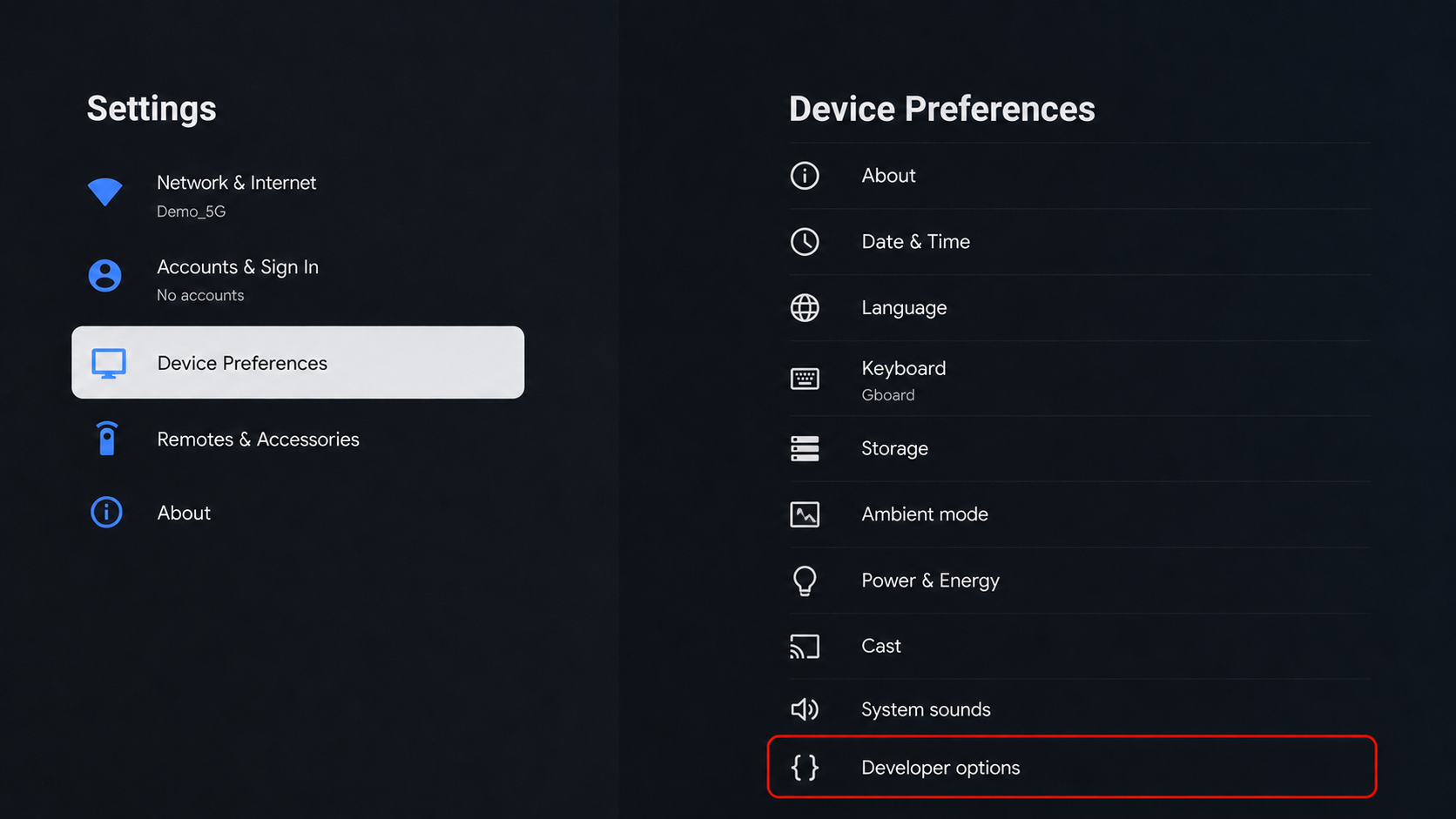
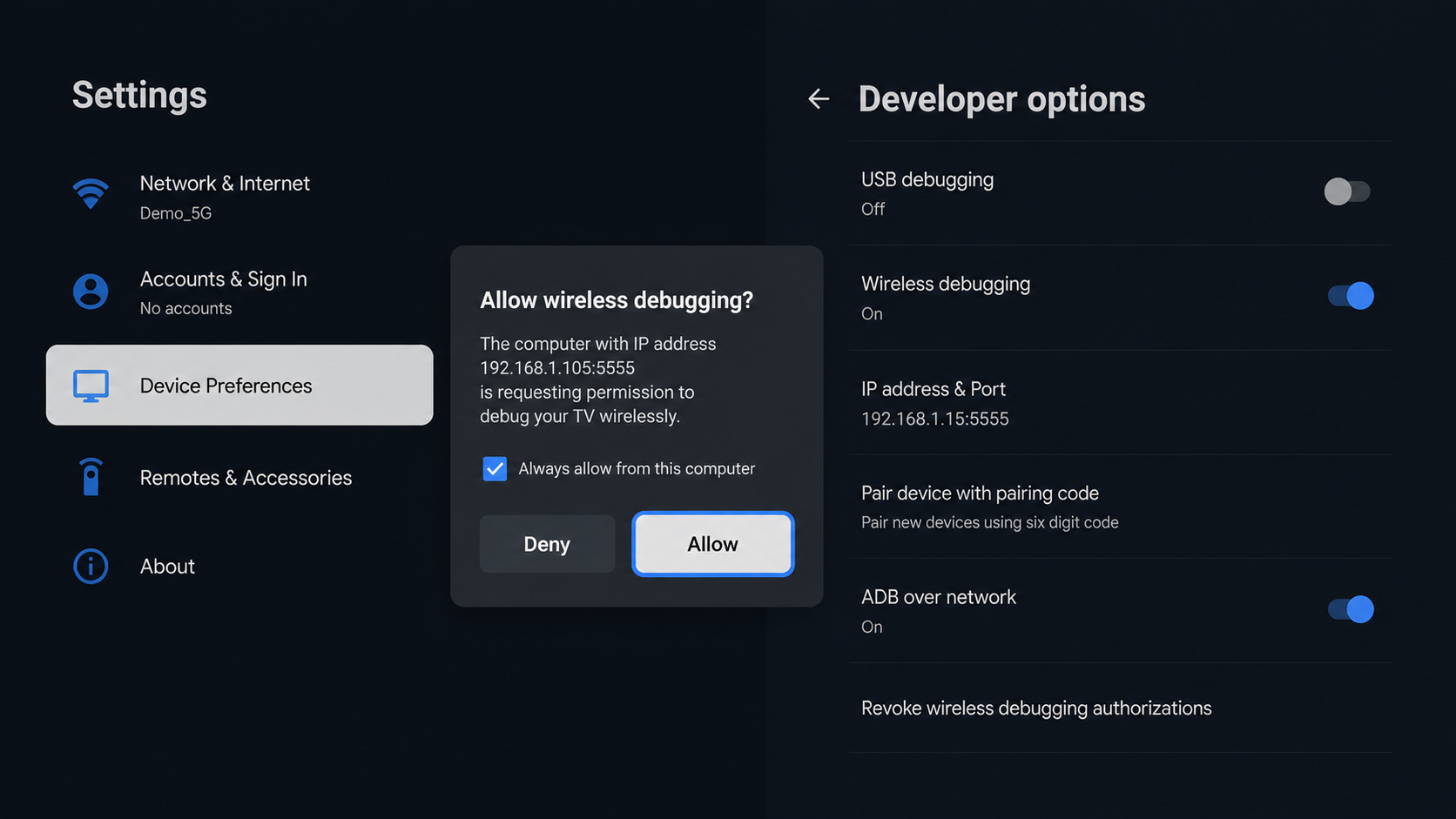
Open Developer Options from the Android TV settings.
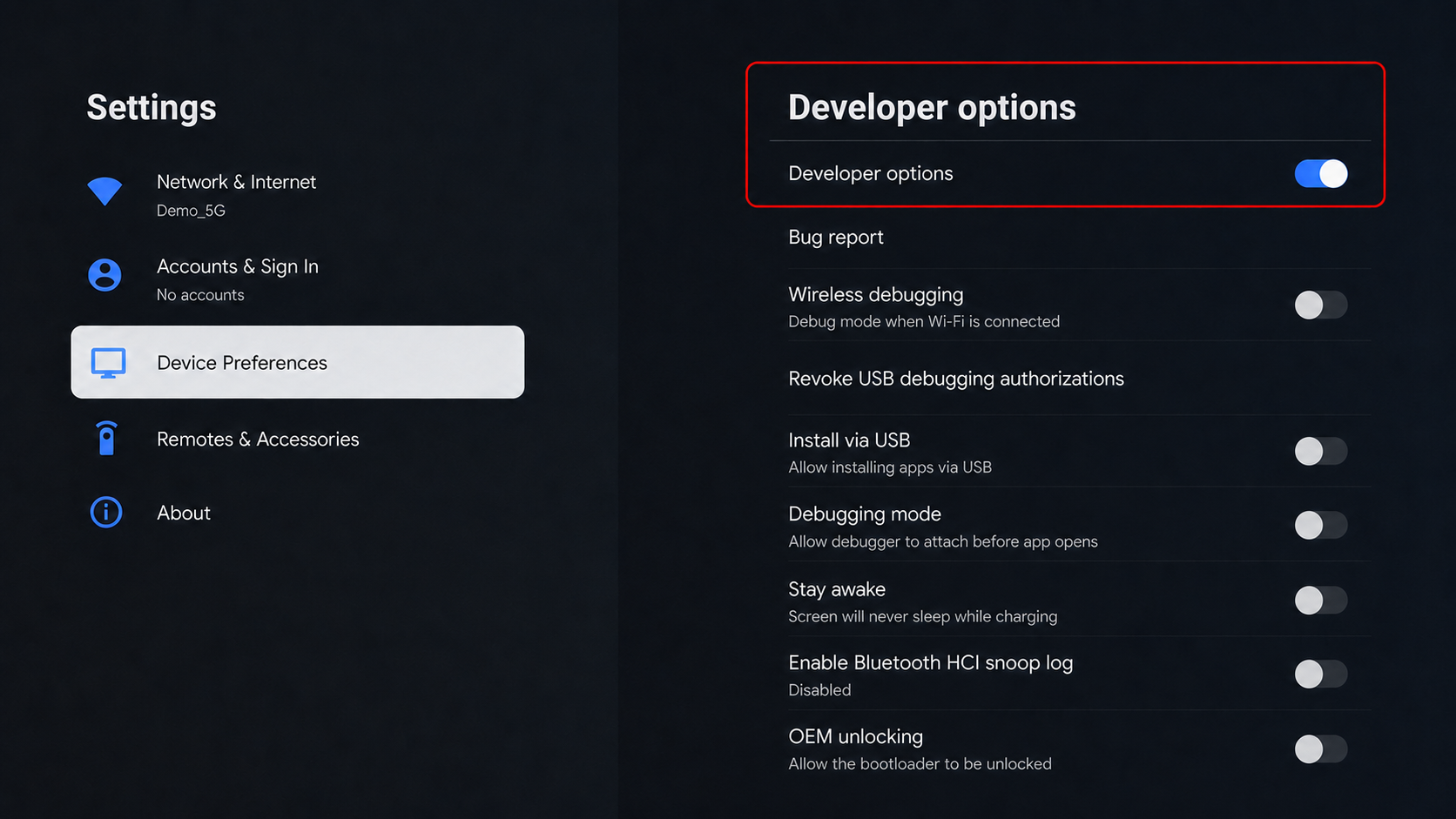
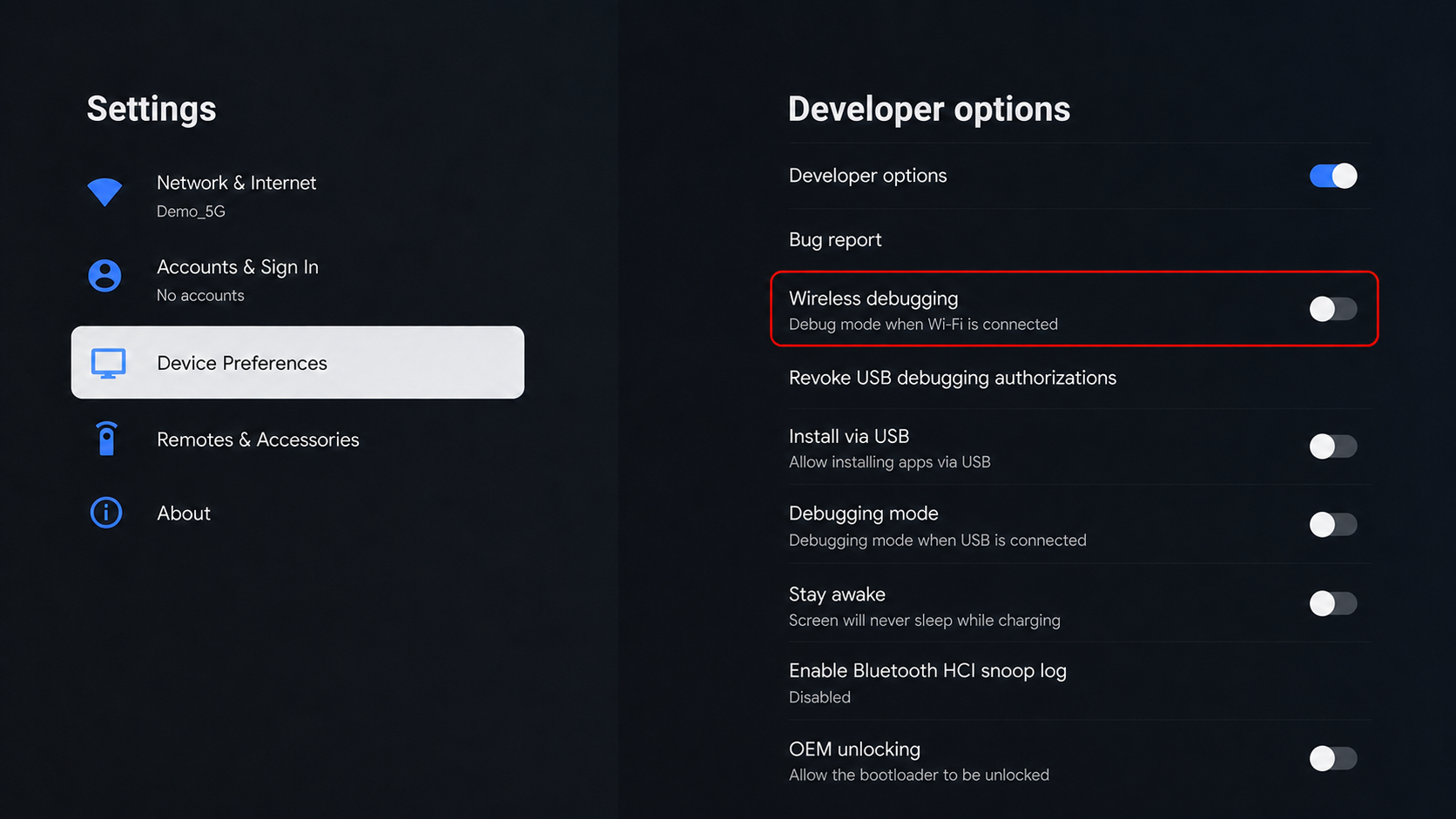
Turn ON wireless debugging.
Select Allow or Yes when the pairing or authorization prompt appears on the TV.