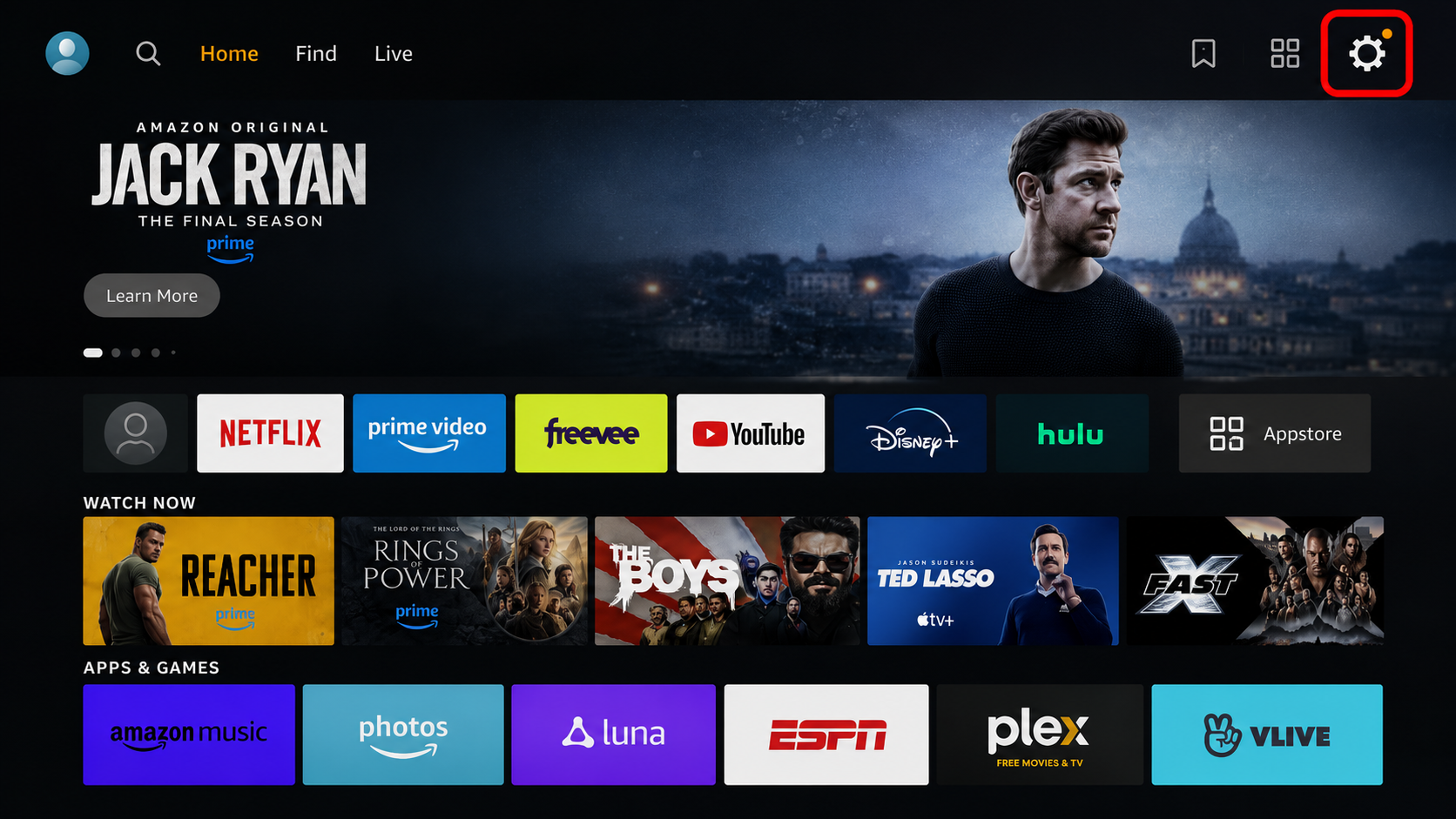
From the Fire TV Stick Home Screen, open Settings.
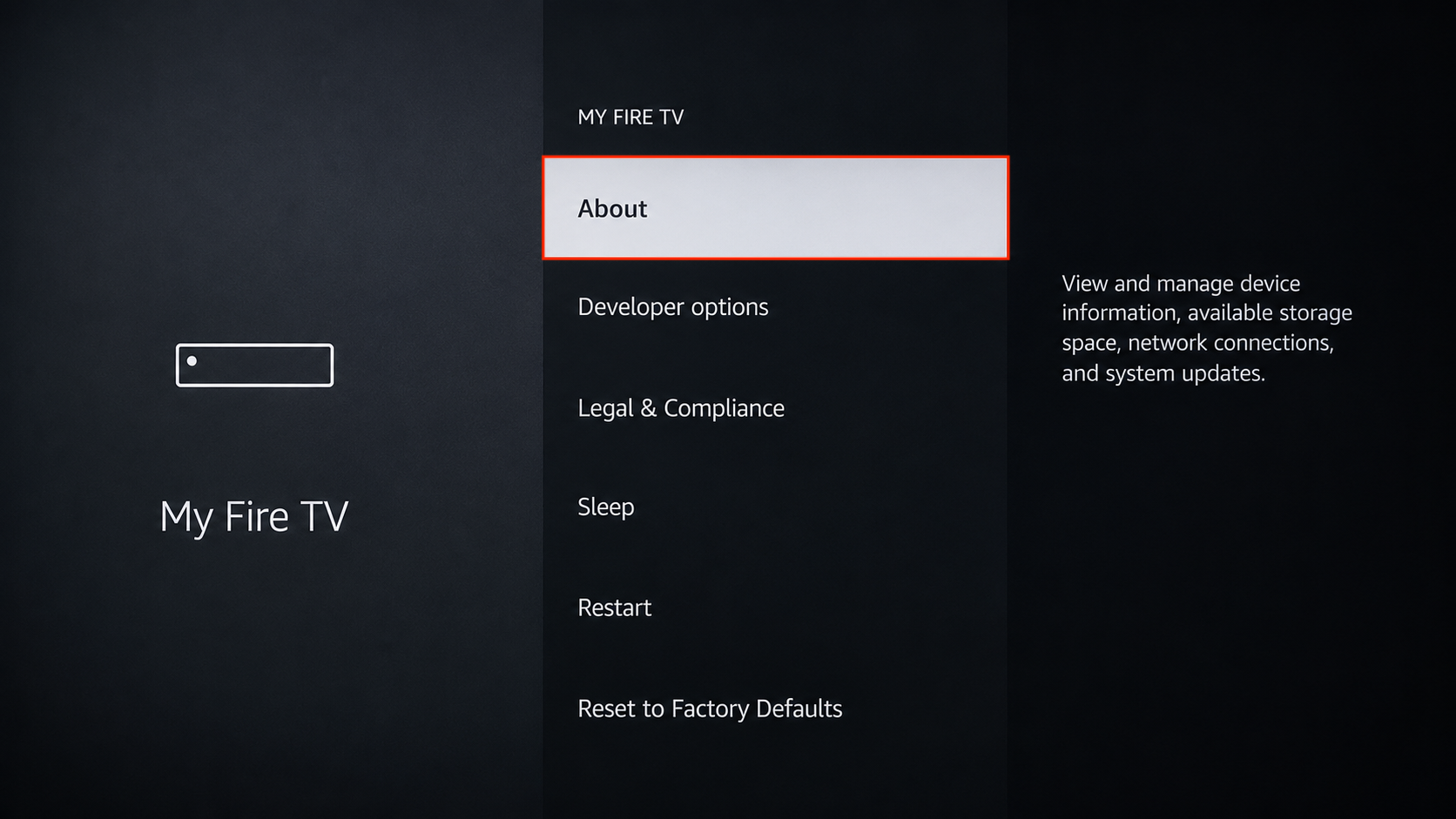
Go to My Fire TV → About.
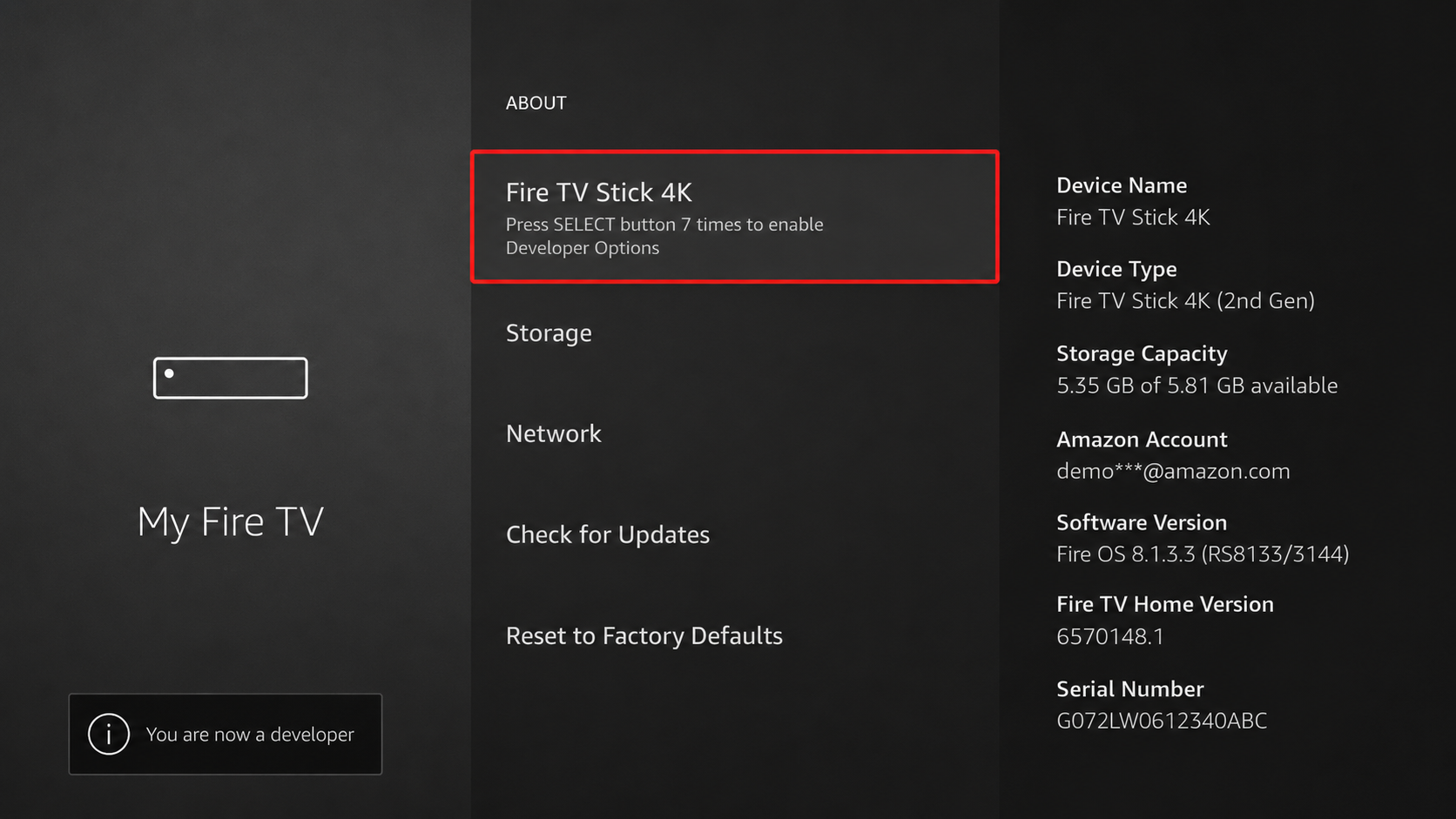
Select your Fire TV Stick device name and press the OK/Select button 7 times on the remote until the message “You are now a developer” appears.
Press the Back button and go to My Fire TV → Developer Options.
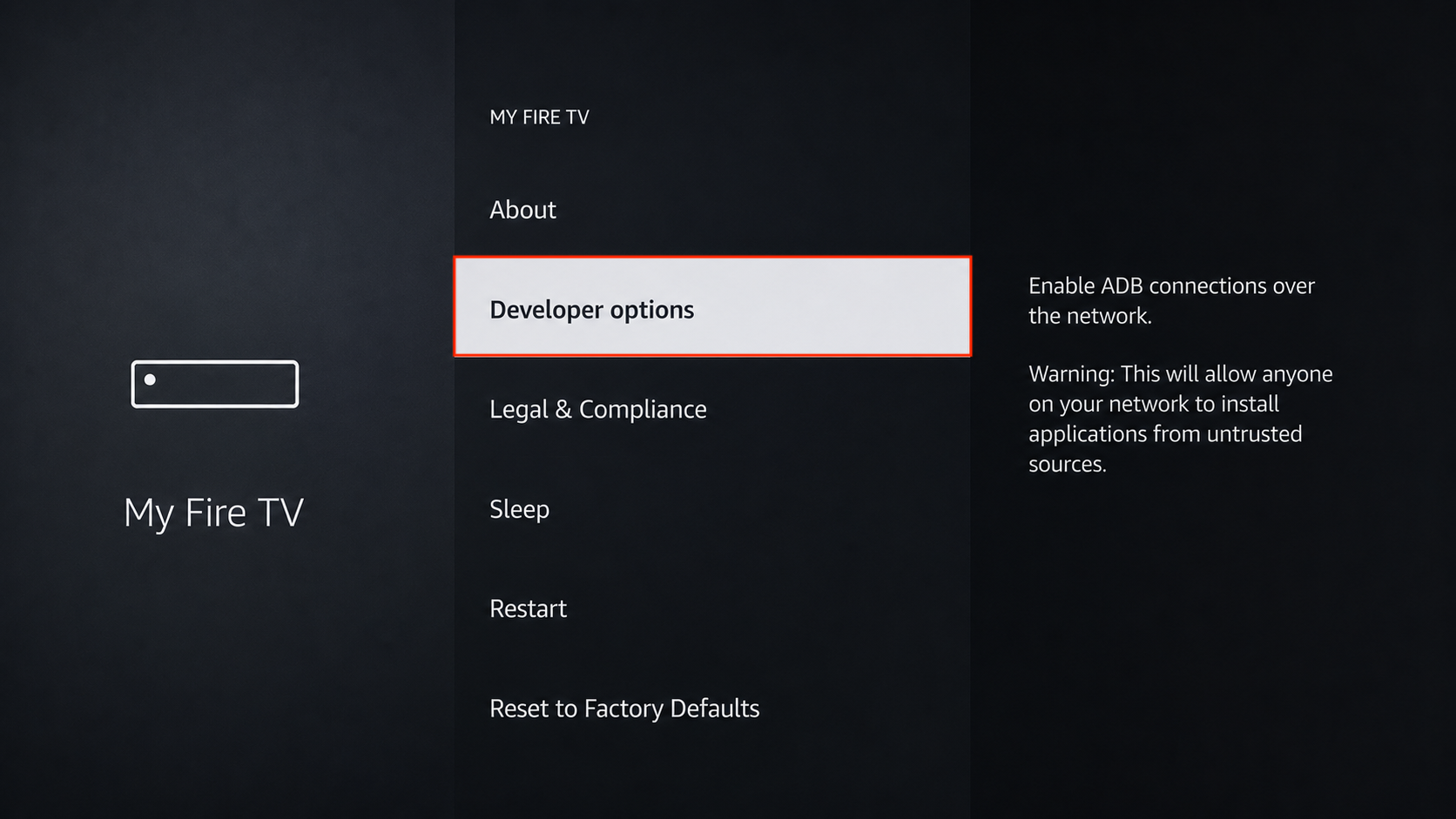
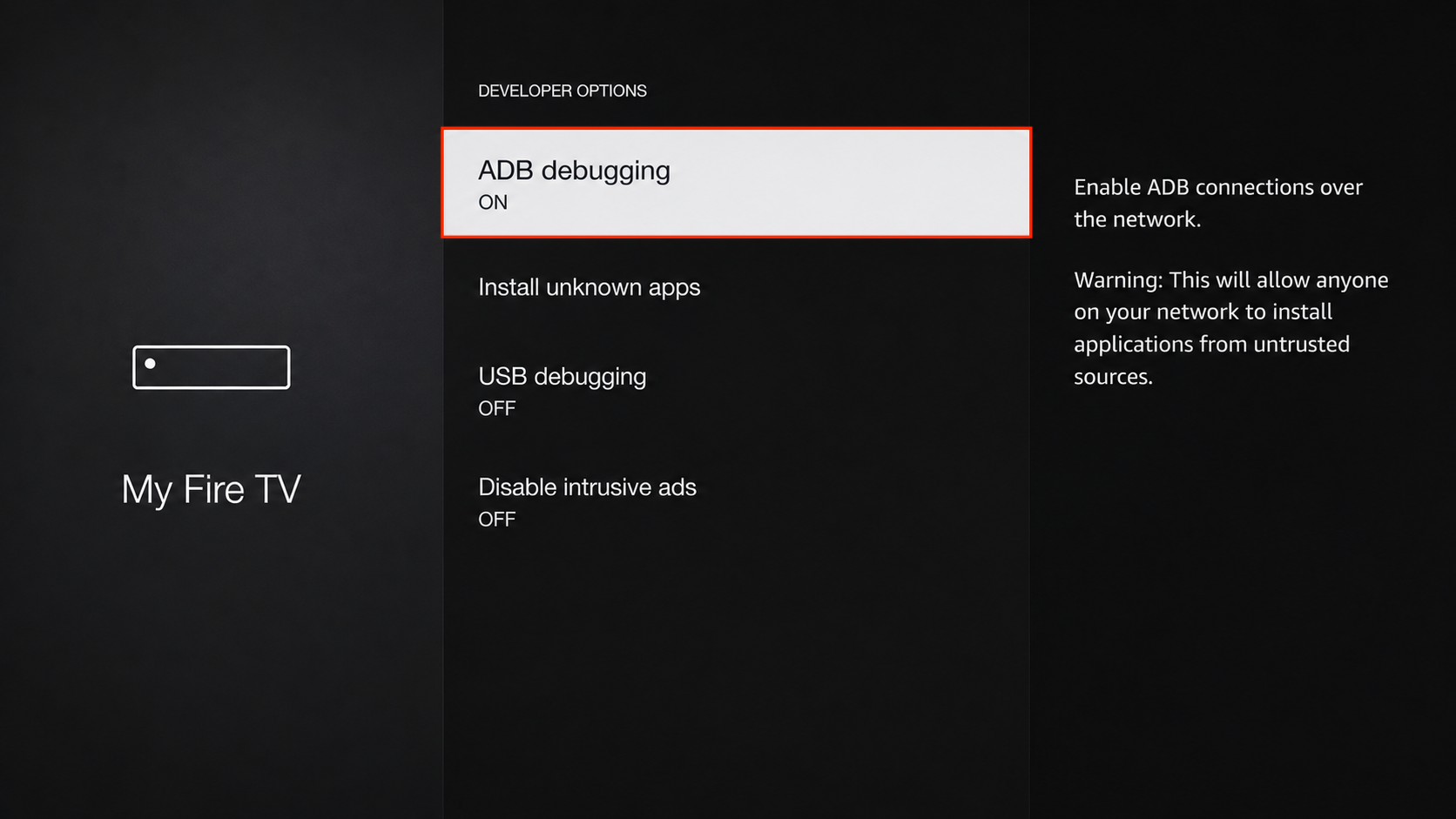
Select ADB Debugging and turn it ON.
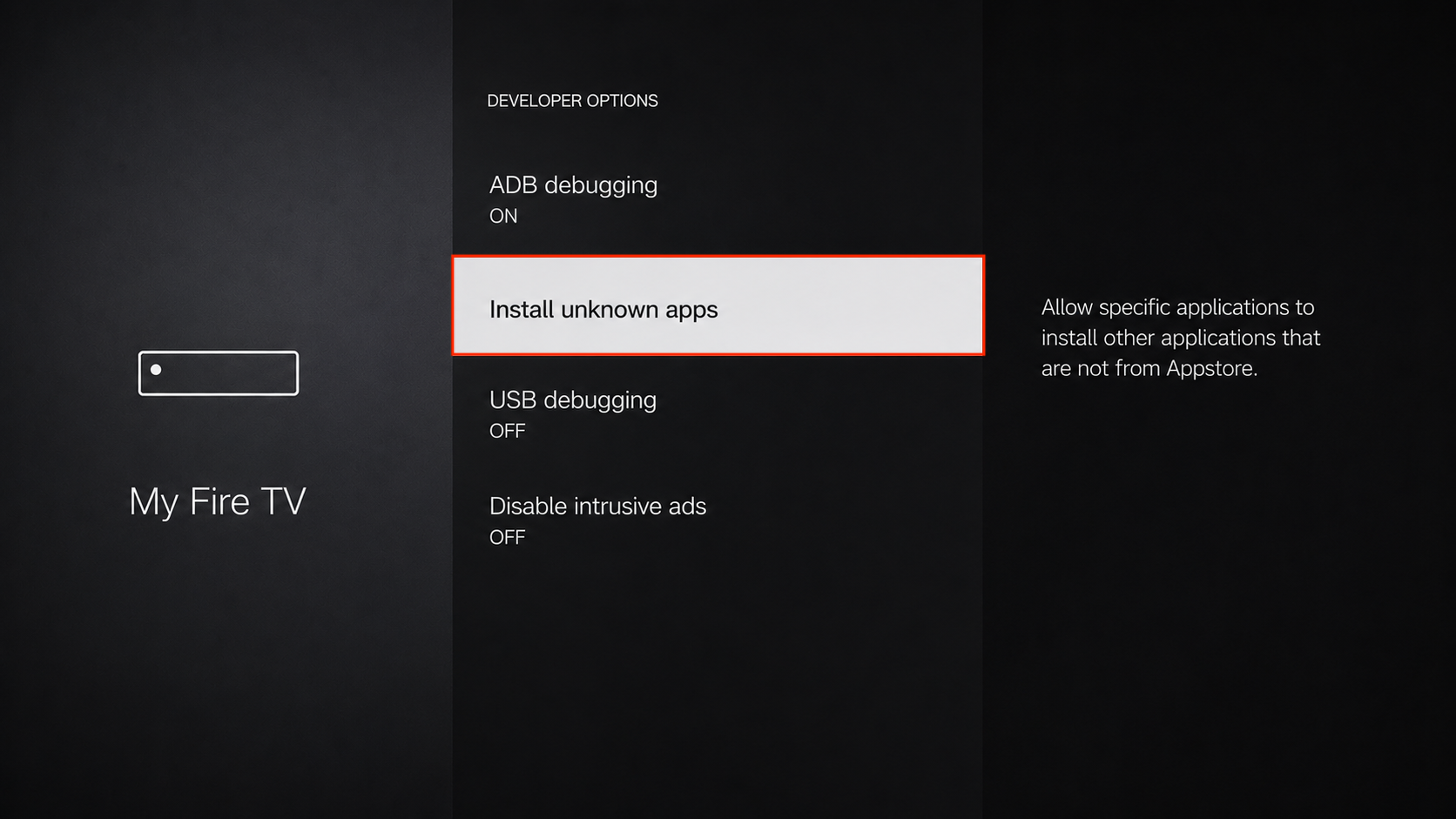
Open Install Unknown Apps or Apps from Unknown Sources, then enable it for the required application.
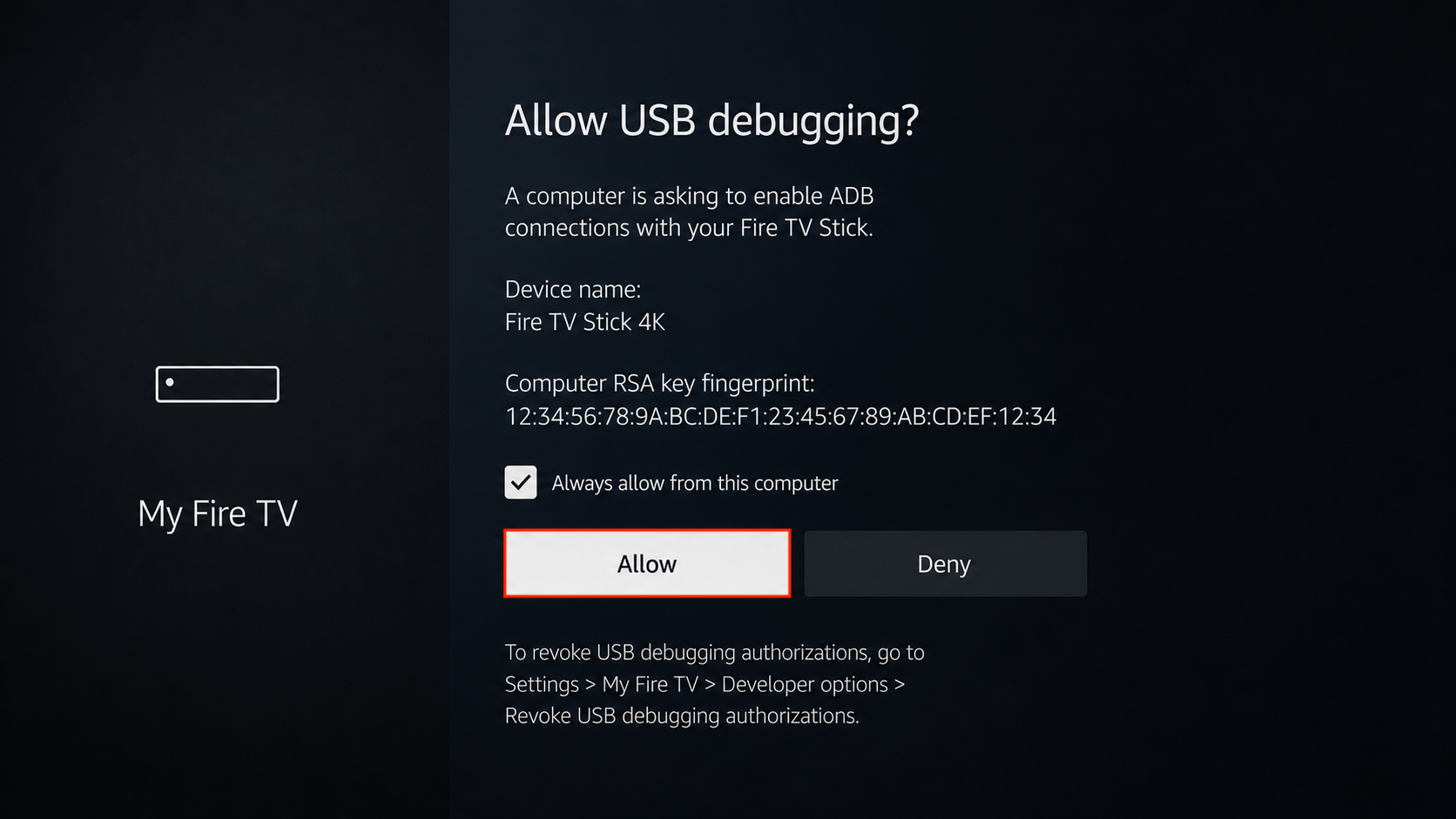
When connecting the Fire TV Stick to your computer, an authorization prompt may appear. Select Always allow from this computer, if required, and then select Allow.
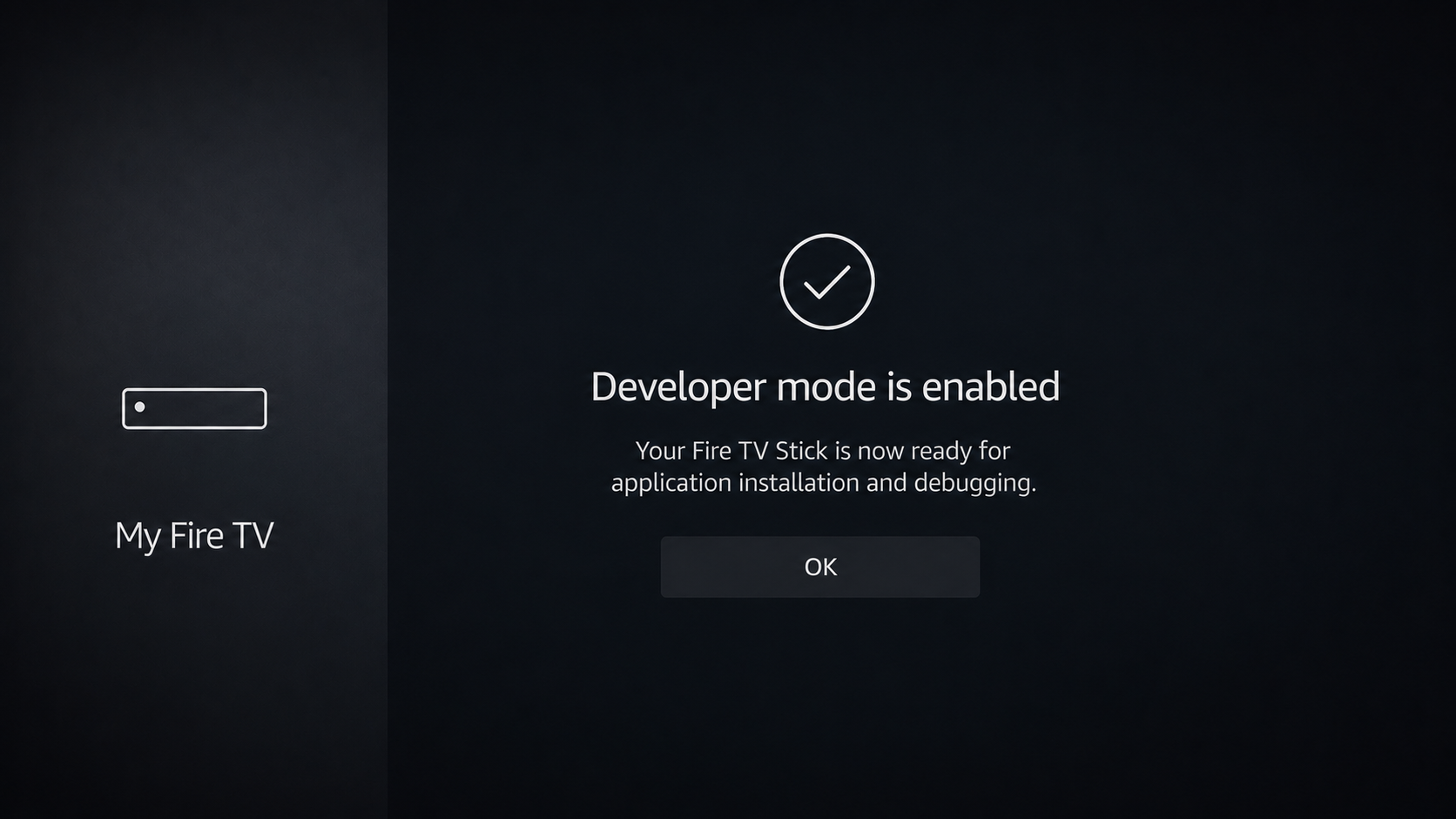
Your Fire TV Stick is now ready for application installation and debugging.