Centro de ayuda

How to Enable Developer Mode in Android TV

To enable Developer Mode on Android TV, go to Settings > Device Preferences > About, click Build 7 times to unlock Developer Options, then go back to Settings and enable the required developer settings like USB Debugging or Network Debugging.

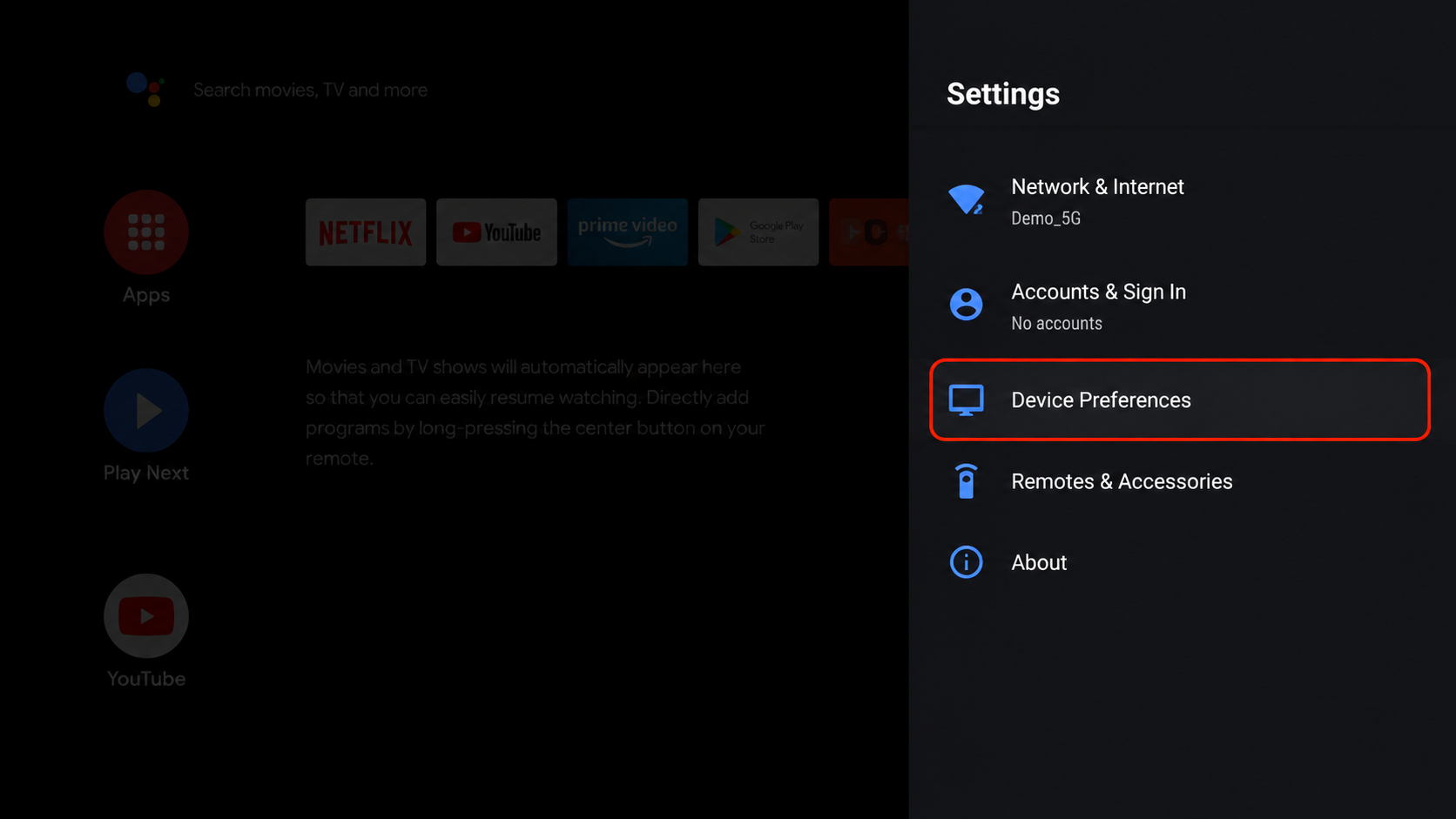
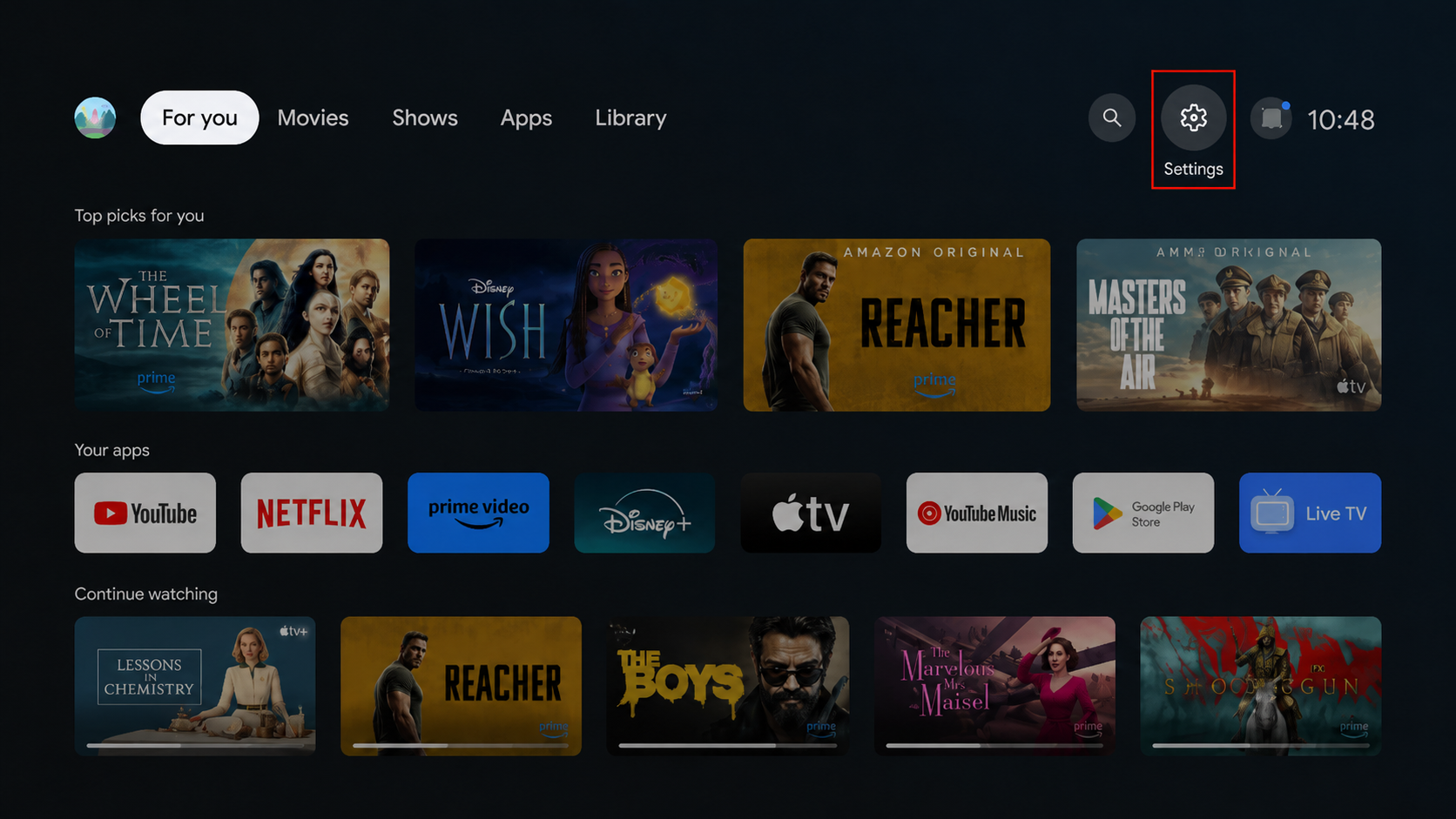
Step 1: Open Settings

Open Settings on your Android TV.
Step 2: Go to About

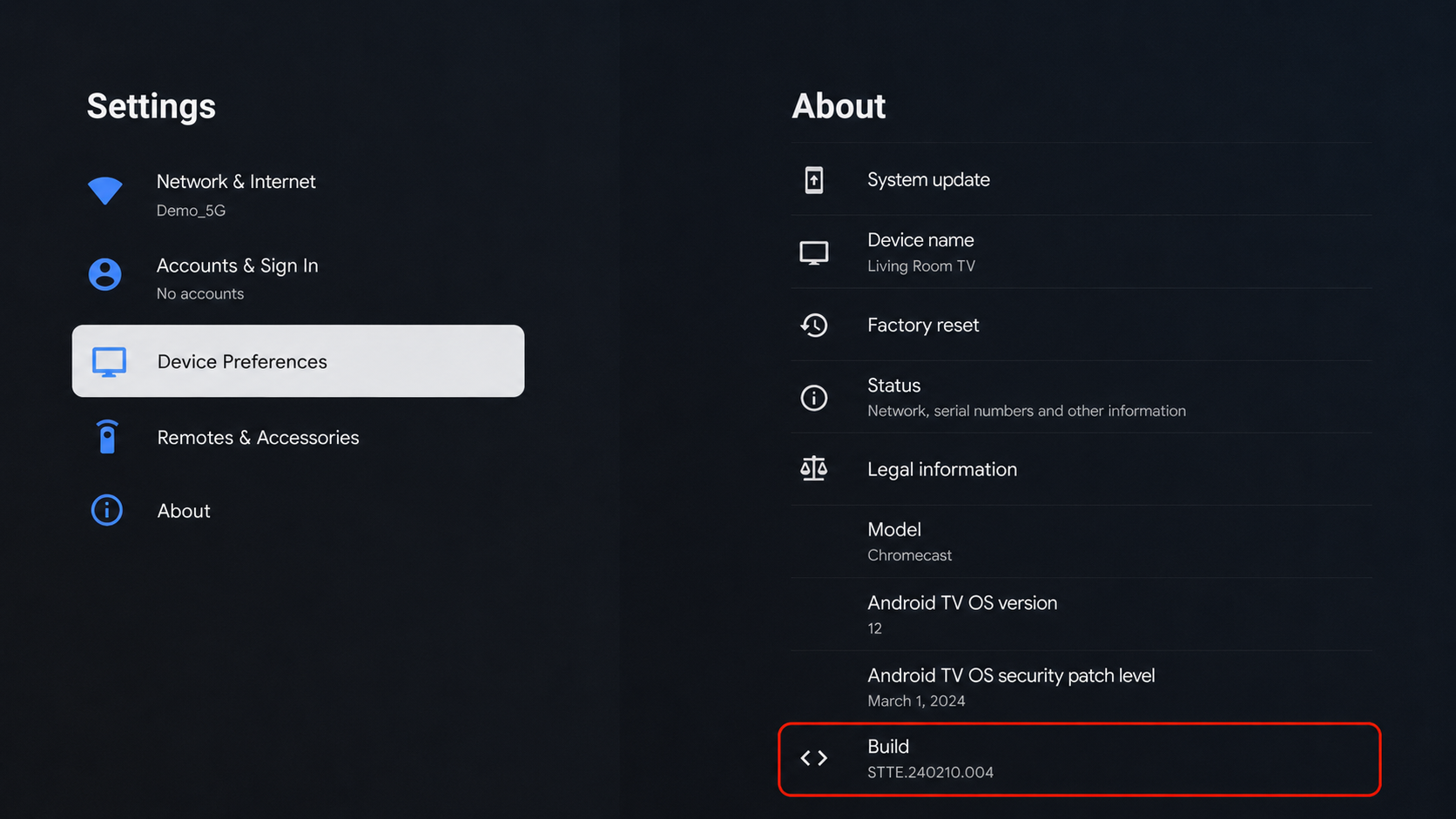
Go to Device Preferences > About.

Step 3: Select Build Number

Find and select the build number.

Step 4: Press Build Number 7 Times

Press Build Number multiple times using your remote.
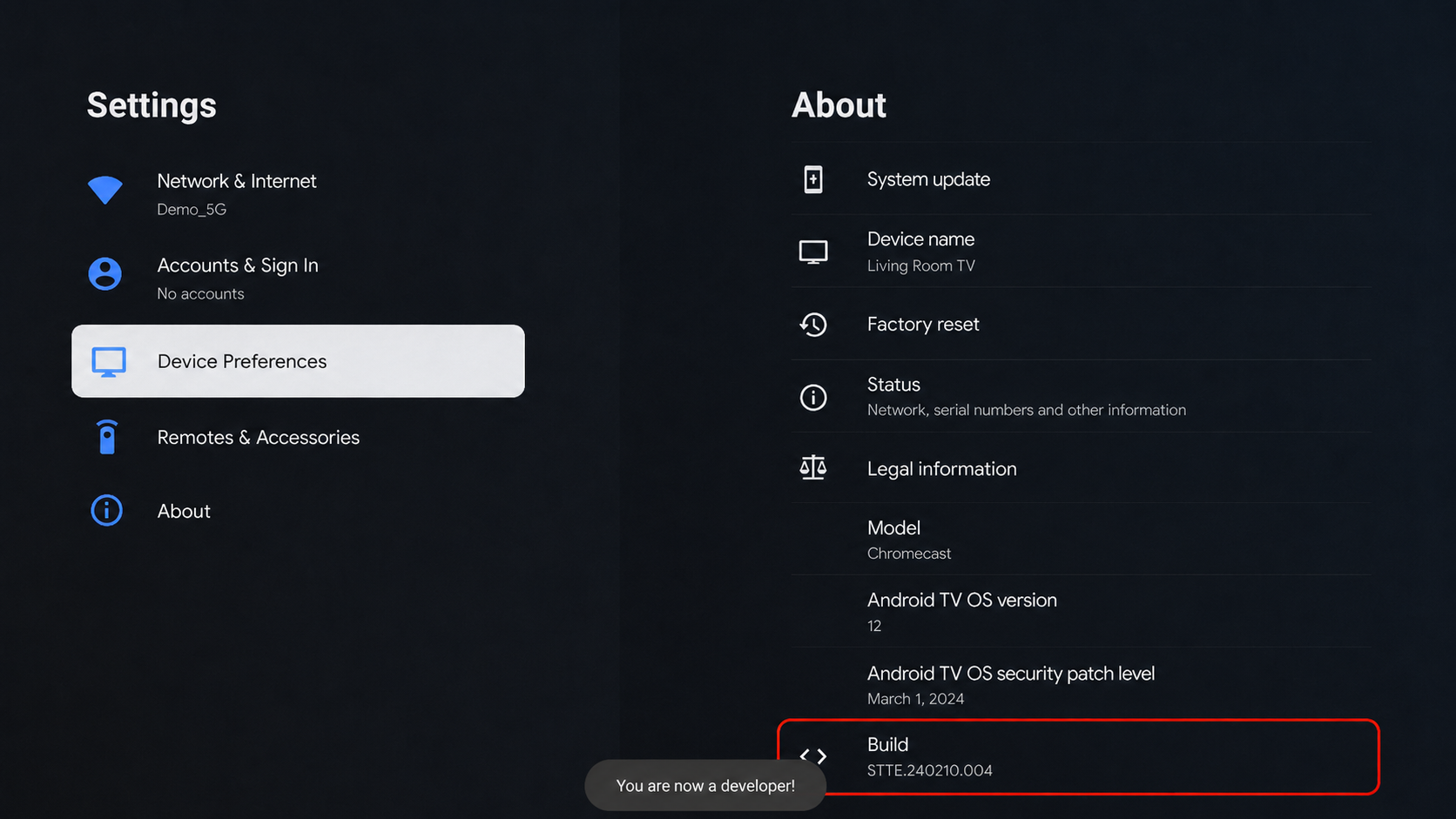
Step 5: Developer Mode Enabled

Developer Mode is now enabled on your Android TV.
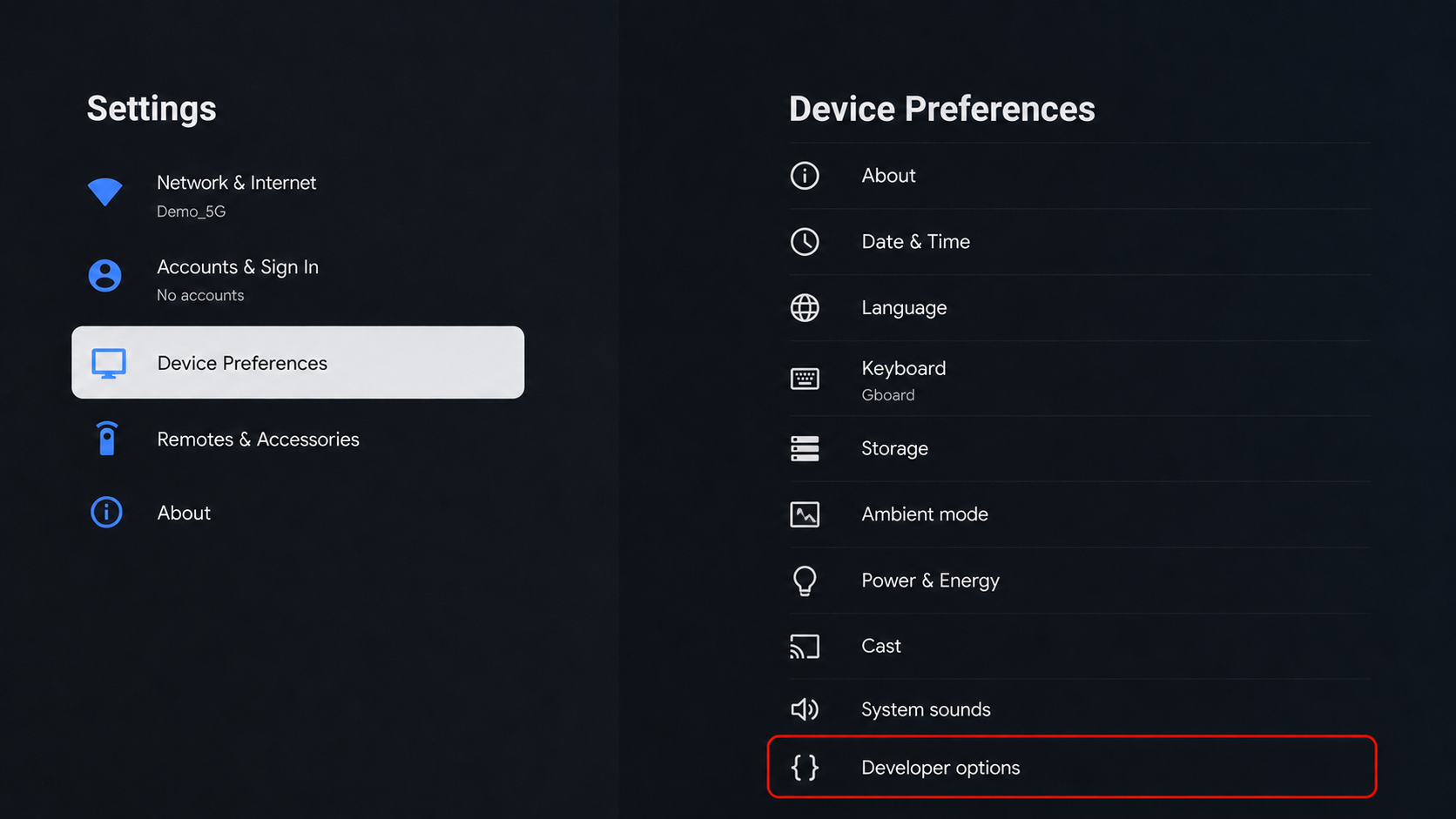
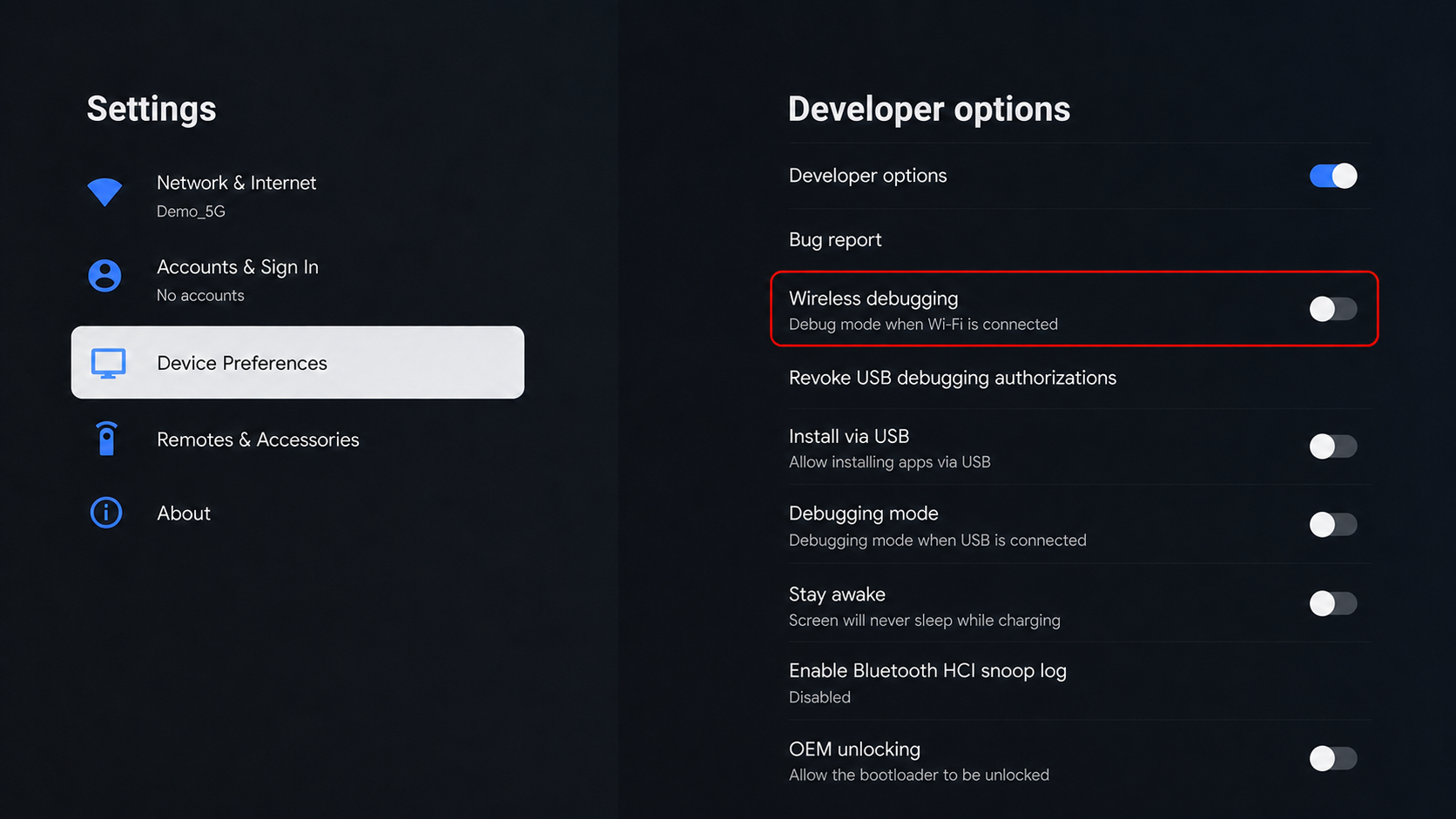
Step 6: Open Developer Options

Open Developer Options from the Android TV settings.
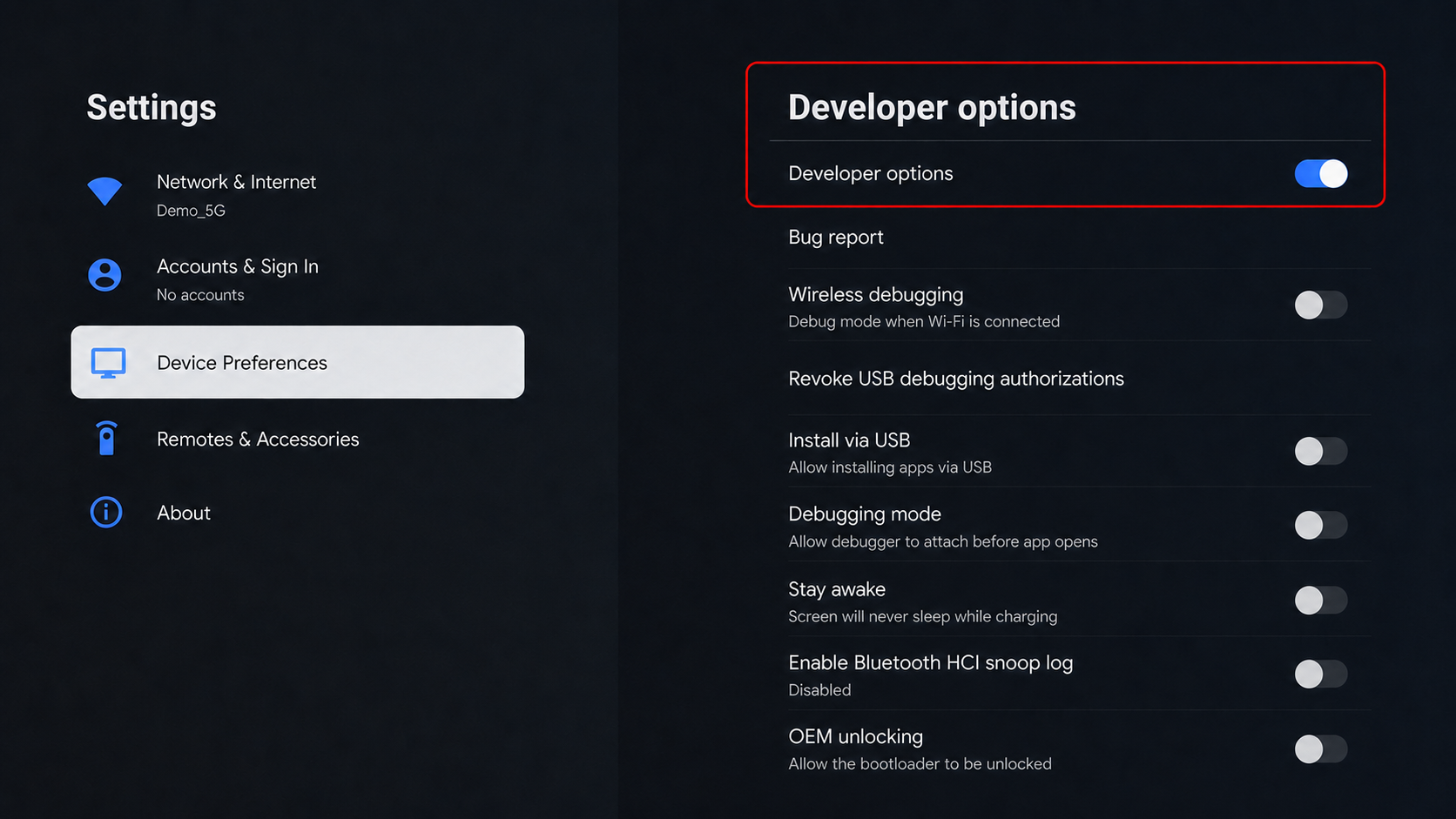
Step 7: Turn On Wireless Debugging

Turn ON wireless debugging.

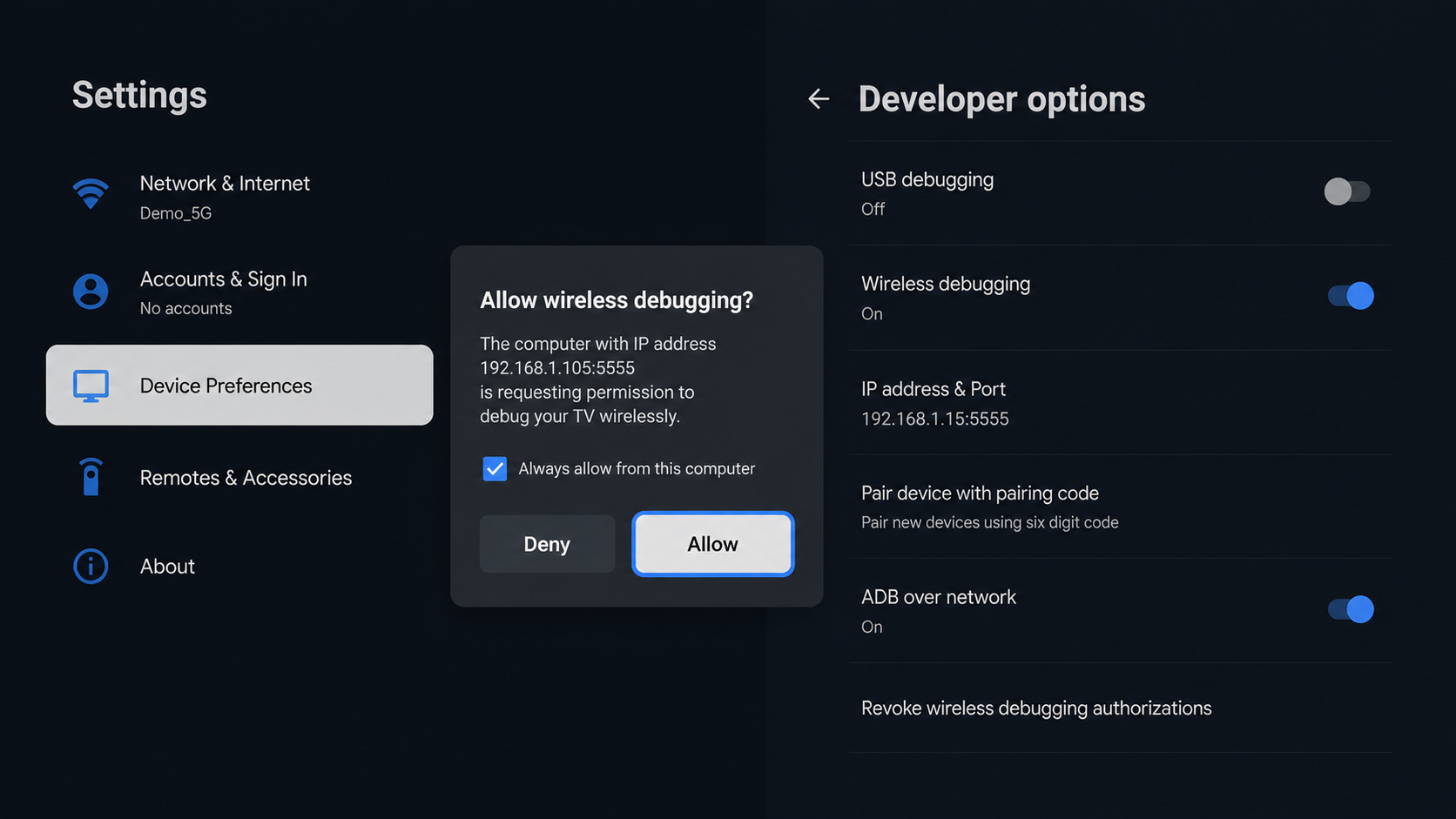
Step 8: Allow Authorization

Select Allow or Yes when the pairing or authorization prompt appears on the TV.
¿Te ha ayudado esta respuesta?
😞
😐
😁